
|
Do it yourself
| |||
| ||||


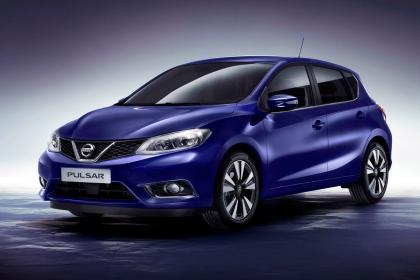
How to change the air filter of the Nissan Pulsar DIY
Model: Nissan Pulsar
MK 1
- Years:
2014, 2015, 2016, 2017, 2018
Video tutorial
On the Nissan Pulsar, the replacement of the engine air filter is done from the engine compartment by accessing the air filter box (airbox), which is recognizable as a plastic container connected to the intake hose. With the engine off and cold, open the hood and locate the airbox cover: it is usually secured with latches or clips. Carefully unfasten the fasteners without forcing them, then lift the cover just enough to access the filter element; if space is limited, slightly moving the intake hose as needed on the Nissan Pulsar can help, without pulling on any wiring or connectors. Once accessible, remove the old filter from the Nissan Pulsar, being careful not to let dirt fall into the duct, clean the edge of the seat, and check for any leaves or debris. Insert the new filter, ensuring that the frame/rubber perimeter sits correctly and that the filter fits snugly without any folds; close the airbox cover and reattach all fasteners, checking that the box is sealed. Finally, start the Nissan Pulsar and check for any unusual intake noises: if you hear hissing, double-check that the cover and fasteners are completely closed.
Posted on 24 December 2025 by ScegliAuto
Related tutorials
Nissan Pulsar
(2014-2018 /
MK 1)
You can completely remove the Service indicator that is shown on the instrument panel of the Nissan Pulsar by inserting the ignition key into the ign…

Nissan Pulsar
(2014-2018 /
MK 1)
Replacing the cabin air filter in a Nissan Pulsar is a straightforward operation that can be done independently. The first step is to open the passen…

Nissan Pulsar
(2014-2018 /
MK 1)
In the following video tutorial, you will learn how to independently replace the cabin air filter on a 2016 Nissan Pulsar. To carry out the replaceme…
Other guides you may be interested in
|
How to Reset the AdBlue Warning Light on a Peugeot Boxer
To reset the AdBlue system on a 2018 Peugeot Boxer, follow these steps: Start the engine and ensure the vehicle is parked in a well-ventilated area. Locate the "MENU" button on the dashboard or steering wheel controls. Press and hold the "MENU" button until the menu options appear on the display. Use the arrow buttons or scroll wheel to access the "Vehicle Settings" or "Settings" menu. Select the "AdBlue" or "AdBlue System" option. Look for the "Recharge" or "Reset" option in the AdBlue menu. Once you find the reset option, select it and confirm your choice when prompted. The system will be reset, and a confirmation message may appear on the display. Turn off the engine and wait a few seconds. Restart the engine and check that the AdBlue system has been reset. by ScegliAuto More videos
|
For advertising on this site Write to info@scegliauto.com
ScegliAuto is not responsible for any inaccuracy of the data in the lists. To report any inaccuracy or your business (if you own the business in question), please write to info@scegliauto.com
Number of seconds to generate the page: 0.050
(c) ScegliAuto 2026 - info@scegliauto.com - Privacy policy VAT number: IT01247470535 |
