
|
Do it yourself
| |||
| ||||


How do you reset the PS warning light on the Nissan Micra?
Model: Nissan Micra
K12
- Years 2002-2010
In order to reset the PS light of the Nissan Micra, you will need to make sure that there are no damages to the steering angle sensor, as this light is related to that component: if this and its connectors do not show any damages, the problem will be of an electronic nature. To solve it, you will need to connect a diagnostic tool to the OBD port of the vehicle, located just below the steering column: this way it will be possible to remove the error that causes the light to turn on from the ECU. By disconnecting the scanner, you will notice that the light has completely disappeared.
Posted on 22 April 2025 by ScegliAuto
Video tutorial
Related tutorials
Nissan Micra
(2017-2024 /
K14)
In order to completely delete the Service light that is shown on the instrument panel of the Nissan Micra, you need to turn on the instrument panel, …
Nissan Micra
(2010-2017 /
K13)
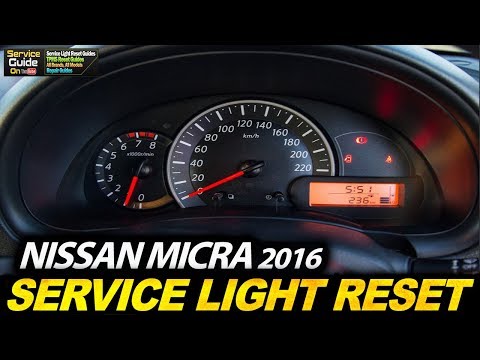
To reset the Service light on the Nissan Micra, turn on the instrument cluster by rotating the key in the ignition switch: once the cluster is on, pr…

Nissan Micra
(2017-2024 /
K14)
To reset the tire pressure warning light on the Nissan Micra, you need to inflate the tires to the recommended pressure value: this value is indicate…
Other guides you may be interested in |
Frequently Asked QuestionsHow to set the clock on the Opel Zafira
Setting the clock to the current Italian time on an Opel Zafira model B vehicle is a very simple operation, which can also be done independently thanks to our short instructional video. The first thing to do is to turn on the instrument panel and then press the SETTING button, located on the central dashboard. Once inside the menu, use the buttons to navigate to the clock setting. Change the hours and minutes and restart the instrument panel. If the clock is not updated, a diagnosis may be necessary at the radio or vehicle control unit. by ScegliAuto More videos
|
|
For advertising on this site Write to info@scegliauto.com
ScegliAuto is not responsible for any inaccuracy of the data in the lists. To report any inaccuracy or your business (if you own the business in question), please write to info@scegliauto.com
Number of seconds to generate the page: 0.379
(c) ScegliAuto 2026 - info@scegliauto.com - Privacy policy VAT number: IT01247470535 |
