
|
Do it yourself
| |||
| ||||


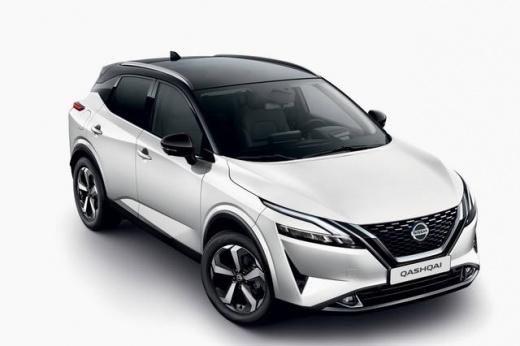
How to Reset the Tyre Pressure Light on the Nissan Qashqai
Model: Nissan Qashqai
- Years:
2021, 2022, 2023, 2024, 2025, 2026
Video tutorial
Today, we will go through the steps to reset the tyre pressure light on the Nissan Qashqai; before recalibrating the TPMS sensors, ensure all four tyres are at the operating pressure. Then, get inside the vehicle and switch on the instrument panel; next, navigate to the vehicle settings using the steering wheel controls, selecting the tyre pressure option. Finally, confirm and reset the TPMS sensors, clearing the warning message on the instrument panel.
Posted on 1 November 2026 by ScegliAuto
Related tutorials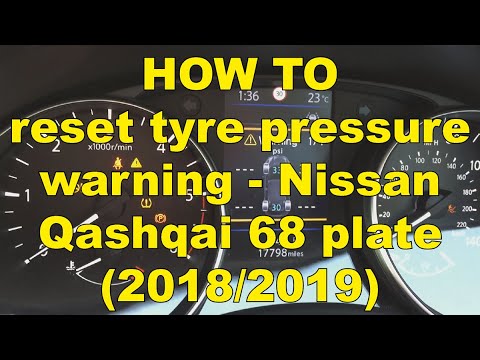
Nissan Qashqai
(2014-2022 /
J11)
In this video tutorial, you will see the main steps to reset the tyre pressure warning light on the second series Nissan Qashqai, J11. First, ensure …

Nissan Qashqai
(2014-2022 /
J11)
Today we will see the instructions that will allow us to reset the tire pressure warning light of the Nissan Qashqai; before resetting the TPMS senso…

Nissan Qashqai
(2014-2022 /
J11)
Here’s how to reset the tyre pressure warning light (TPMS) on the Nissan Qashqai. Before performing the reset, ensure all four tyres are at the corre…
Other guides you may be interested in
|
Where to Find the Fuses of the Citroen C3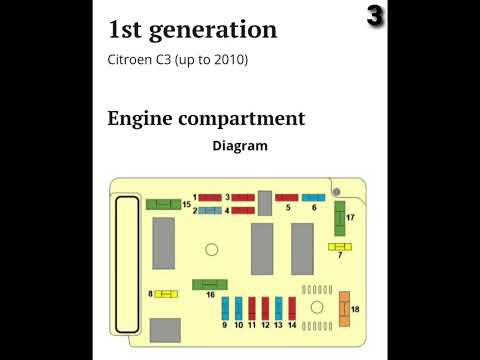
The fuse box of the Citroen C3 in the engine compartment is located behind the battery near the headlamp; to access the fuses, remove the cover by moving the side tabs. The fuse box in the cabin is situated at the bottom of the dashboard, above the pedals; to access the fuses, simply remove a small cover (where applicable). To replace a fuse, use small pliers to grasp the fuse to be changed and pull it out; if the bridge inside the fuse is broken, the fuse needs to be replaced; otherwise, the fuse is functioning. If the fuse needs to be replaced, use one with the same amperage to avoid malfunctions. by ScegliAuto More videos
|
|
For advertising on this site Write to info@scegliauto.com
ScegliAuto is not responsible for any inaccuracy of the data in the lists. To report any inaccuracy or your business (if you own the business in question), please write to info@scegliauto.com
Number of seconds to generate the page: 0.025
(c) ScegliAuto 2026 - info@scegliauto.com - Privacy policy VAT number: IT01247470535 |
