
|
Do it yourself
| |||
| ||||


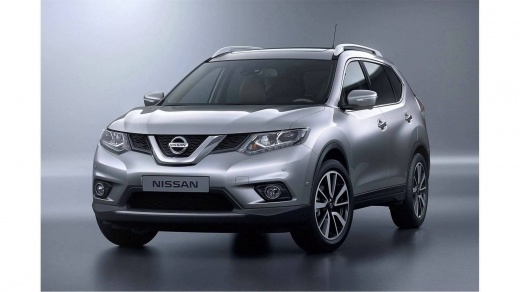
How to Set the Date and Time on a Nissan X-Trail
Model: Nissan X Trail
- Years:
2014, 2015, 2016, 2017, 2018, 2019, 2020, 2021, 2022, 2023
Video tutorial
To set the date and time on a third-generation Nissan X-Trail, switch on the ignition and the multimedia system. From the central display, enter the "Settings" menu using the touch controls or side buttons. Access the "System" or "Clock" section and select "Date and time". If automatic adjustment is active, disable it to manually modify the values. Set the hours and minutes using the available controls, and if necessary, update the date as well. Confirm the changes and return to the main screen. Check that the displayed time is correct and updated on the vehicle's display.
Posted on 13 November 2026 by ScegliAuto
Related tutorials
Nissan X Trail
(2001-2006 /
MK 1, T30)
.. and accessing the relays of your Nissan X-Trail. Start by opening the driver's front door. Next, remove the side carpet. Once removed, you will.. …

Nissan X Trail
(2014-2023 /
MK 3, T32)
.. the clock in their car, whether it's a Nissan X-Trail or other vehicles, may be outdated or even reset after changing the car's 12-volt battery. There.. …

Nissan X Trail
(2014-2023 /
MK 3, T32)
.. To reset the "Service" light on a Nissan X-Trail, access the settings menu by pressing the button under the instrument cluster. Next, look for the.. …
Other guides you may be interested in
|
How to Open the Fuel Door of the MG ZS?
To open the fuel door of the MG ZS, access the interior of the vehicle to locate the lever that unlocks the fuel door. This lever is located on the lower left side of the dashboard, near the steering column. Pull the lever to open the fuel door, allowing you to unscrew the cap underneath for refueling. After refueling, replace the fuel cap and securely close the fuel door. by ScegliAuto More videos
|
|
For advertising on this site Write to info@scegliauto.com
ScegliAuto is not responsible for any inaccuracy of the data in the lists. To report any inaccuracy or your business (if you own the business in question), please write to info@scegliauto.com
Number of seconds to generate the page: 0.088
(c) ScegliAuto 2026 - info@scegliauto.com - Privacy policy VAT number: IT01247470535 |
