
|
Do it yourself
| |||
| ||||


How to Remove the Radio from a Nissan Micra
Model: Nissan Micra
K13
- Years 2010-2017
Before you begin, sit in the driver's seat of your Nissan Micra. Start by unclipping and removing the upper section of the radio frame by simply pulling it upwards. This will expose the upper screws that secure the radio to the dashboard, which you need to unscrew and remove, followed by the lower screws to free the radio. Next, pull the radio out of its housing, and then disconnect the rear connectors to complete the disassembly.
Updated on 9 April 2026 by ScegliAuto
Video tutorial
Related tutorials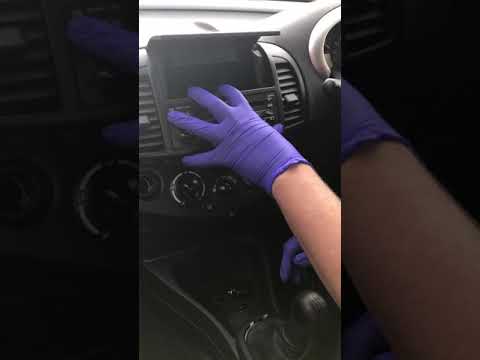
Nissan Micra
(2002-2010 /
K12)
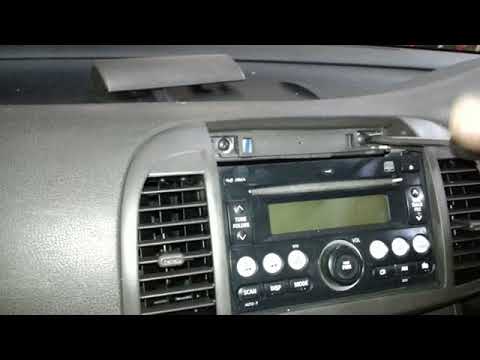
How to remove the radio from your Nissan Micra? Start by taking off the front trim of the dashboard (as shown in the video) using a plastic lever; un…
Nissan Micra
(2002-2010 /
K12)
To remove the stereo from a Nissan Micra, follow these steps. Lift the flap at the top of the stereo and detach it from the centre console. Unscrew t…
Nissan Micra
(2010-2017 /
K13)
Before you can start, sit in the driver's seat of your Nissan Micra. Begin by unclipping and removing the upper cover of the radio. Next, unscrew and…
Other guides you may be interested in
|
How to Replace the Cabin Filter on the Opel Grandland X
If you own an Opel Grandland X and want to know the steps to replace the cabin air filter, carefully read the following guide and follow the described steps. First, enter the vehicle and go to the passenger side. Then, locate the box containing the air filter in the lower side area of the dashboard. Remove the cover of the box and finally replace the old filter with the new one. Refit the cover, and you are done. by ScegliAuto More videos
|
For advertising on this site Write to info@scegliauto.com
ScegliAuto is not responsible for any inaccuracy of the data in the lists. To report any inaccuracy or your business (if you own the business in question), please write to info@scegliauto.com
Number of seconds to generate the page: 0.074
(c) ScegliAuto 2026 - info@scegliauto.com - Privacy policy VAT number: IT01247470535 |
