
|
Do it yourself
| |||
| ||||


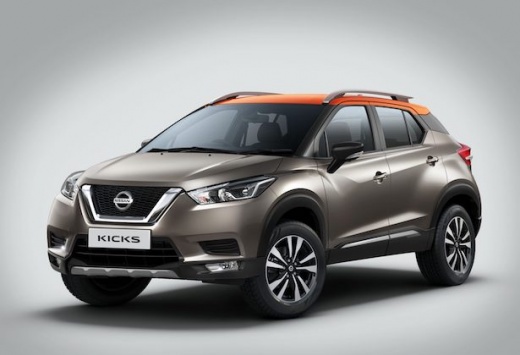
How to Install DRL Lights on the Nissan Kicks
Model: Nissan Kicks
P15, D15
- Years:
2016, 2017, 2018, 2019, 2020, 2021, 2022, 2023, 2024
Video tutorial
Learn how to install Daytime Running Lights (DRL) on your Nissan Kicks. Our YouTuber shows you the process in detail. He purchased these lights on shopee.com. Just search for "2-piece Waterproof Flexible LED DRL Strip". They cost 25 Real (about $4.90). Connect the black wire to a ground bolt and the red and yellow wires to the connector, linking it to a terminal that connects to a power source. The flexible strip is self-adhesive, so clean the top of the headlight well and stick it on, and you're done. The effect is demonstrated at the end of the video with various usage options.
Updated on 5 August 2026 by ScegliAuto
Related tutorials
Nissan Kicks
(2016-2024 /
P15, D15)
Replacing the headlight bulb on your Nissan Kicks is a straightforward task that you can easily complete yourself by following these steps. First, pa…

Nissan Kicks
(2016-2024 /
P15, D15)
To replace the cabin filter in the Nissan Kicks, remove the dashboard panel located on the left side of the passenger footwell. Below this panel, you…

Nissan Kicks
(2016-2024 /
P15, D15)
To get a clearer picture of your vehicle's situation and to reset some alerts indicated by the various control units, it is advisable to use diagnost…
Other guides you may be interested in |
How to Reset the AdBlue Warning Light on a Peugeot Boxer
To reset the AdBlue system on a 2018 Peugeot Boxer, follow these steps: Start the engine and ensure the vehicle is parked in a well-ventilated area. Locate the "MENU" button on the dashboard or steering wheel controls. Press and hold the "MENU" button until the menu options appear on the display. Use the arrow buttons or scroll wheel to access the "Vehicle Settings" or "Settings" menu. Select the "AdBlue" or "AdBlue System" option. Look for the "Recharge" or "Reset" option in the AdBlue menu. Once you find the reset option, select it and confirm your choice when prompted. The system will be reset, and a confirmation message may appear on the display. Turn off the engine and wait a few seconds. Restart the engine and check that the AdBlue system has been reset. by ScegliAuto More videos
|
|
For advertising on this site Write to info@scegliauto.com
ScegliAuto is not responsible for any inaccuracy of the data in the lists. To report any inaccuracy or your business (if you own the business in question), please write to info@scegliauto.com
Number of seconds to generate the page: 0.022
(c) ScegliAuto 2026 - info@scegliauto.com - Privacy policy VAT number: IT01247470535 |
