
|
Do it yourself
| |||
| ||||


How to reset the service in the Nissan Qashqai?
Model: Nissan Qashqai
J10
- Years 2006-2014
In this tutorial we can see how to reset the service in the Nissan Qashqai, an extremely simple and quick operation, to be carried out only after completing all the required scheduled maintenance work. First of all, let's go inside the cabin, then turn on the instrument panel, grab the right button on the dashboard and rotate it quickly clockwise. Once we reach the settings menu, we enter "Maintenance", "Service", and reset by selecting the "Reset" option. We then verify that the operation was successful by restarting the vehicle.
Posted on 27 March 2024 by ScegliAuto
Video tutorial
Related tutorials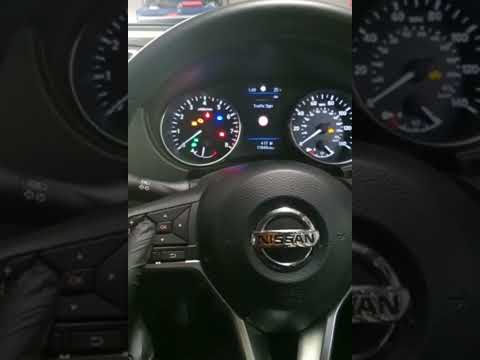
Nissan Qashqai
(2014-2022 /
J11)
Resetting the service on the Nissan Qashqai, as we can see in this tutorial, is an extremely simple and fast operation. Before proceeding, make sure …

Nissan Qashqai
(2014-2022 /
J11)
.. In this tutorial we can see how to reset the service in the Nissan Qashqai, an extremely simple and quick operation, to be carried.. …

Nissan Qashqai
(2006-2014 /
J10)
.. In this tutorial we can see how to reset the service in the Nissan Qashqai, an extremely simple and quick operation, to be carried.. …
Other guides you may be interested in
|
Replacing the Rear Window Regulator on a Grande Punto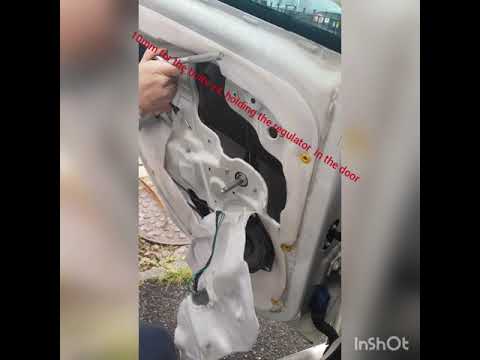
Replace the window regulator on a Fiat Grande Punto? Remove the door panel to access the window regulator motor. Use a lever to remove the manual window crank, then, with a screwdriver, unscrew the securing screws on the plastic panel. Once all screws are removed, use the lever to detach all the plastic clips that secure the door. Pull off the door panel by hand. Remove the access cover to the door and take out the window regulator motor and the rail with the glass. Pull out all the parts from inside the door and replace them with new ones. by ScegliAuto More videos
|
|
For advertising on this site Write to info@scegliauto.com
ScegliAuto is not responsible for any inaccuracy of the data in the lists. To report any inaccuracy or your business (if you own the business in question), please write to info@scegliauto.com
Number of seconds to generate the page: 0.082
(c) ScegliAuto 2026 - info@scegliauto.com - Privacy policy VAT number: IT01247470535 |
