
|
Do it yourself
| |||
| ||||


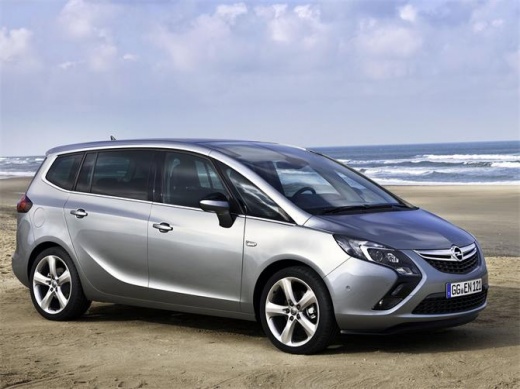
How do you reset the service light on the Opel Zafira Tourer?
Model: Vauxhall Zafira
Zafira C, MK 3
- Years:
2011, 2012, 2013, 2014, 2015, 2016, 2017, 2018, 2019
Video tutorial
The service coupon of a car has a precise expiration date dictated by the indications of the manufacturer, based on the mileage traveled or the time elapsed. We are talking about changing the engine oil and oil filter that must always be done, while for other interventions it depends on what is reported in the user manual. After performing the above interventions, we will need to reset the warning light: turn on the instrument panel, press the Menu button on the left lever, scroll with the directional buttons to select the warning light in question and conclude by pressing the button at the end of the same lever to confirm the cancellation.
Posted on 17 March 2025 by ScegliAuto
Related tutorials
Vauxhall Zafira
(2011-2019 /
Zafira C, MK 3)
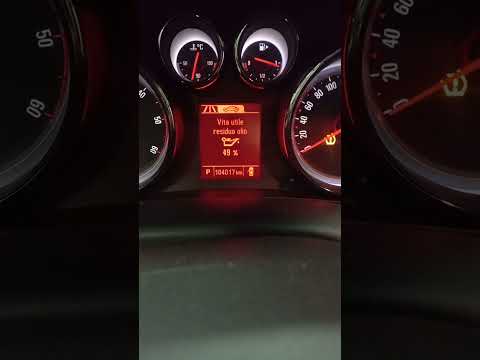
Today we will see how to independently reset the service light on an Opel Zafira Tourer. Turn on the instrument panel and access the settings menu by…
Vauxhall Zafira
(2011-2019 /
Zafira C, MK 3)
In this new guide dedicated to the 2016 Opel Zafira Tourer, you will discover how to correctly perform the manual reset of the maintenance light. The…

Vauxhall Zafira
(2011-2019 /
Zafira C, MK 3)
In this video tutorial, you will learn how to remove the water pump from an Opel Zafira Tourer. To do this, you need to remove the timing belt as the…
Other guides you may be interested in
|
How to Open the Fuel Flap on a Volkswagen Tiguan?
To open the fuel flap on a Volkswagen Tiguan, first unlock the car using the appropriate button on the remote. This will open the car and unlock the mechanism that controls the fuel flap. At this point, apply light pressure to the left side of the flap to open it and access the cap underneath. Once this is unscrewed, you can refuel and then close everything. by ScegliAuto More videos
|
|
For advertising on this site Write to info@scegliauto.com
ScegliAuto is not responsible for any inaccuracy of the data in the lists. To report any inaccuracy or your business (if you own the business in question), please write to info@scegliauto.com
Number of seconds to generate the page: 0.053
(c) ScegliAuto 2026 - info@scegliauto.com - Privacy policy VAT number: IT01247470535 |
