
|
Do it yourself
| |||
| ||||



How to Program the TPMS Sensors on an Opel Karl
Model: Vauxhall Karl
MK 1
- Years:
2015, 2016, 2017, 2018, 2019
Video tutorial
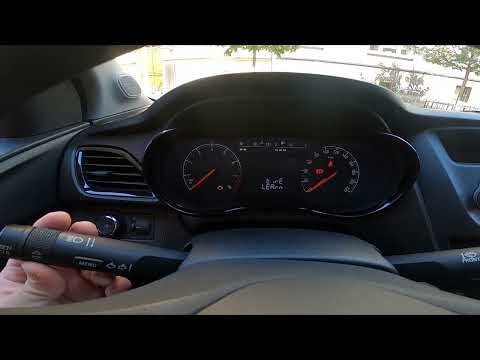
Let’s see how to program the new TPMS sensors on an Opel Karl: you can buy them on Amazon (the 4-piece kit with code B0DGXKX66Q costs £26.98 with free delivery). Turn on the ignition and access the menu, navigating until you reach the TPMS menu. Press and hold the button to start the learning procedure. The car will flash the indicator on the side corresponding to the sensor to be coded. Approach the indicated wheel and activate the sensor. This can be done by adjusting the air pressure or using a specific tool; often a slight deflation/inflation or a dedicated TPMS activator is sufficient. Once the sensor is detected, the arrow will turn off and the one for the next side will light up. Once all four sensors are configured, the car will emit two beeps to confirm completion, and the TPMS error light will turn off.
Posted on 2 May 2026 by ScegliAuto
Related tutorials
Vauxhall Karl
(2015-2019 /
MK 1)
In order to reset the tire pressure warning light on the Opel Karl, you need to inflate the tires to the recommended pressure value: this value is in…
Vauxhall Karl
(2015-2019 /
MK 1)
Resetting the TPMS light for tyre pressure on the Opel Karl is a simple process. Start by turning on the instrument cluster, then press the MENU butt…

Vauxhall Karl
(2015-2019 /
MK 1)
In this new guide dedicated to those of you who own an Opel Karl, we will explain step by step how you can quickly and safely replace the external re…
Other guides you may be interested in |
How to Set the Time in an Audi A4?
In this tutorial, you will see how to set the time in an Audi A4, a very simple and quick operation to perform after replacing the battery or when the time changes. First, insert the key and turn on the instrument cluster. Then, press the "SETUP" button located on the center console. Next, press the upper left arrow button, navigate to the "Time" option, and use the central knob to adjust the clock. Finally, set any necessary formats and save by returning to the main screen. by ScegliAuto More videos
|
|
For advertising on this site Write to info@scegliauto.com
ScegliAuto is not responsible for any inaccuracy of the data in the lists. To report any inaccuracy or your business (if you own the business in question), please write to info@scegliauto.com
Number of seconds to generate the page: 0.019
(c) ScegliAuto 2026 - info@scegliauto.com - Privacy policy VAT number: IT01247470535 |
