
|
Do it yourself
| |||
| ||||


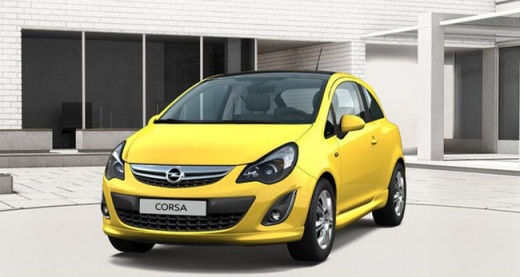
How to Service the Opel Corsa D?
Model: Vauxhall Corsa
Corsa D
- Years:
2006, 2007, 2008, 2009, 2010, 2011, 2012, 2013, 2014
Video tutorial
A basic service consists simply of an oil change and oil filter replacement. The video provided shows how to do this on an Opel Corsa D. The first step is to drain the used oil into a suitable container. While the oil drains, replace the oil filter located in the engine compartment. This requires removing the air intake hose as well. Once done, go back under the car and close the oil sump, and finally, pour the new oil into the engine compartment, ensuring it meets the specifications for your vehicle.
Posted on 20 August 2026 by ScegliAuto
Related tutorials
Vauxhall Corsa
(2006-2014 /
Corsa D)
Time has passed and the miles have been driven; inevitably, for one reason or another, the service light comes on, indicating that the service is ove…
Vauxhall Corsa
(2014-2019 /
Corsa E)
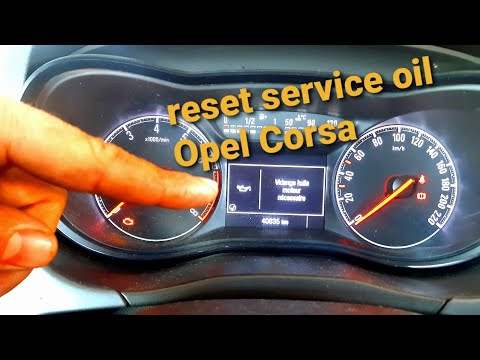
Resetting the service light on an Opel Corsa and on Opel cars in general is extremely simple, and we will now demonstrate it. Turn on the instrument …

Vauxhall Corsa
(2000-2006 /
Corsa C)
To reset the service light on an Opel Corsa model C, do the following: - Keep the instrument cluster off; - Press the button located to the right of …
Other guides you may be interested in
|
How to Set the Time in an Audi A4?
In this tutorial, you will see how to set the time in an Audi A4, a very simple and quick operation to perform after replacing the battery or when the time changes. First, insert the key and turn on the instrument cluster. Then, press the "SETUP" button located on the center console. Next, press the upper left arrow button, navigate to the "Time" option, and use the central knob to adjust the clock. Finally, set any necessary formats and save by returning to the main screen. by ScegliAuto More videos
|
|
For advertising on this site Write to info@scegliauto.com
ScegliAuto is not responsible for any inaccuracy of the data in the lists. To report any inaccuracy or your business (if you own the business in question), please write to info@scegliauto.com
Number of seconds to generate the page: 0.029
(c) ScegliAuto 2026 - info@scegliauto.com - Privacy policy VAT number: IT01247470535 |
