
|
Do it yourself
| |||
| ||||



How to Change Radio Station on an Opel Insignia
Model: Vauxhall Insigna
MK 2, Insigna B
- Years:
2017, 2018, 2019, 2020, 2021, 2022, 2023, 2024, 2025, 2026
Video tutorial
To change the radio station on the Opel Insignia, turn on the infotainment system from the central display of the vehicle. Press the "Radio" icon on the screen to access the section dedicated to stations. Use the touch controls on the display or the control knob to scroll through the list of available stations. Tap the station you want to listen to for immediate playback. Alternatively, you can use the search buttons on the screen to automatically switch to the next or previous station. If you want to save a station to your favourites, press and hold one of the memory slots on the display until the station is saved. This way, you can quickly recall it at any time from the radio menu.
Posted on 8 October 2026 by ScegliAuto
Related tutorials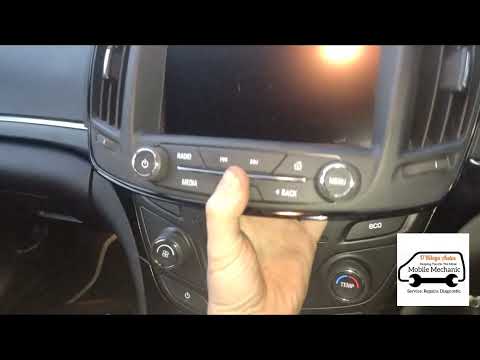
Vauxhall Insigna
(2008-2017 /
MK 1, Insigna A)
This guide shows the entire procedure necessary to replace the car radio in a first-generation Opel Insignia (2008-2017). This is a simple operation …

Vauxhall Insigna
(2008-2017 /
MK 1, Insigna A)
In this video, we can see how to change the battery in a Vauxhall Insigna: we open the hood and remove the plastic cover that protects the battery, t…
Vauxhall Insigna
(2008-2017 /
MK 1, Insigna A)
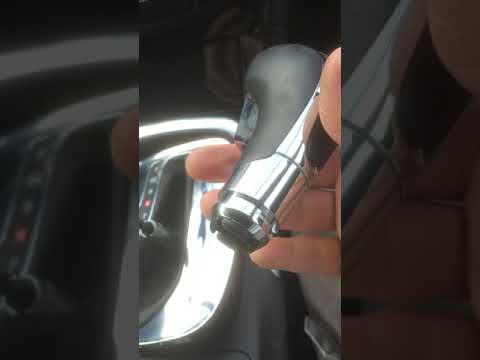
How to change the gear knob of an Opel Insignia? In this video, see how to proceed with the removal. Disconnect the leather gaiter frame using a plas…
Other guides you may be interested in |
How to Set the Time on a Toyota Yaris Cross
Setting the time on a Toyota Yaris Cross is a very simple operation that can be done independently. The first step is to turn on the instrument panel. The second step is to access the settings menu using the joystick on the steering wheel. Once in the menu, select the "Clock" option. The third step is to press and hold this option and set the hour and minutes you desire using the arrow buttons. Finally, return to the main menu and turn off the instrument panel. Turn the panel back on to check that the new time has been set successfully. by ScegliAuto More videos
|
|
For advertising on this site Write to info@scegliauto.com
ScegliAuto is not responsible for any inaccuracy of the data in the lists. To report any inaccuracy or your business (if you own the business in question), please write to info@scegliauto.com
Number of seconds to generate the page: 0.055
(c) ScegliAuto 2026 - info@scegliauto.com - Privacy policy VAT number: IT01247470535 |
