
|
Do it yourself
| |||
| ||||


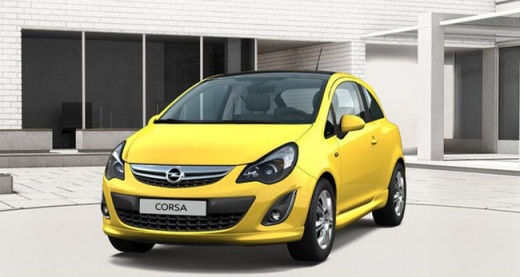
Replacing the Lambda Sensor on an Opel Corsa
Model: Vauxhall Corsa
Corsa D
- Years:
2006, 2007, 2008, 2009, 2010, 2011, 2012, 2013, 2014
Video tutorial
Removing the Lambda sensor? Let's see how on the Opel Corsa. Pull the engine compartment release lever located at the bottom left of the dashboard and lift the front bonnet, securing it. Remove the plastic engine cover panel if present on your model, then disconnect the Lambda sensor connector: unscrew it using the appropriate Lambda socket. Once the sensor is removed from its housing, compare it with the new part. Install the new sensor using the appropriate key, and reconnect the power connector. Finally, test the operation of the new Lambda sensor installed in the car.
Updated on 17 April 2026 by ScegliAuto
Related tutorials
Vauxhall Corsa
(2000-2006 /
Corsa C)
First, release the bonnet using the lever and lift it to access the front of the engine between the bumper and the engine, where the exhaust gas coll…

Vauxhall Corsa
(2006-2014 /
Corsa D)
The P0171 error (lean mixture) on an Opel Corsa D can have several causes: air leaks, dirty throttle body, lambda sensor, or faulty canister valve. A…

Vauxhall Corsa
(2000-2006 /
Corsa C)
This video shows the main instructions for removing the engine cylinder head, allowing you to replace the head gasket on a 2003 Opel Corsa C 1.0 (3 c…
Other guides you may be interested in
|
Frequently Asked QuestionsHow to Open the Fuel Flap on a Volkswagen Tiguan?
To open the fuel flap on a Volkswagen Tiguan, first unlock the car using the appropriate button on the remote. This will open the car and unlock the mechanism that controls the fuel flap. At this point, apply light pressure to the left side of the flap to open it and access the cap underneath. Once this is unscrewed, you can refuel and then close everything. by ScegliAuto More videos
|
|
For advertising on this site Write to info@scegliauto.com
ScegliAuto is not responsible for any inaccuracy of the data in the lists. To report any inaccuracy or your business (if you own the business in question), please write to info@scegliauto.com
Number of seconds to generate the page: 0.090
(c) ScegliAuto 2026 - info@scegliauto.com - Privacy policy VAT number: IT01247470535 |
