
|
Do it yourself
| |||
| ||||


How to reset and enter the code of the Opel Astra Blaupunkt car radio
Model: Vauxhall Astra
Astra G
- Years 1998-2006
In this short and simple guide we will see how to reset and how to unlock the Blaupunkt factory car radio of the Opel Astra, following the instructions below. In order to reset the radio we are going to disconnect the battery, thus resetting the control unit of our car; then we reconnect the battery and turn on the radio. At this point let's enter the radio code, which we find as an integral part of our use and maintenance manual (we often find it on a plate); let's enter the car radio code to unlock all the stations!
Posted on 18 December 2022 by ScegliAuto
Video tutorial
Related tutorials
Vauxhall Astra
(1998-2006 /
Astra G)
In this brief guide, we will see the instructions that will allow us to enter the radio code for the Opel Astra, thus unlocking all radio stations. F…

Vauxhall Astra
(1998-2006 /
Astra G)
In this tutorial, we can see how to reset the car radio in the Opel Astra, a very simple operation to be carried out, for example, in case of malfunc…

Vauxhall Astra
(1998-2006 /
Astra G)
When we replace the battery on a vehicle, it is very likely that the radio will lock and it will be necessary to enter the code to use the radio func…
Other guides you may be interested in
|
Frequently Asked QuestionsHow to Replace the Fan Resistor on a Renault Scenic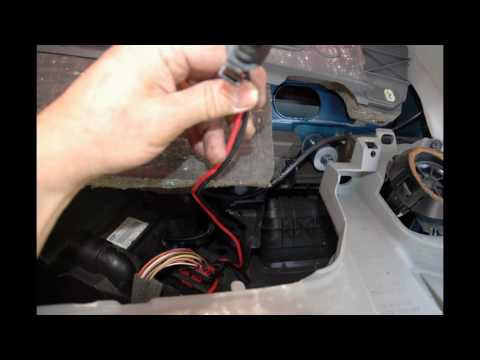
How to replace the fan resistor on a Renault Scenic. In this video, learn how to perform the disassembly: use a lever to remove the plastic under the glove compartment, and unscrew the cover (where the resistor is located) with a screwdriver. Disconnect the large connector of the resistor, then pull it out from the cabin. Insert a new fan resistor (connect the power connector). Finally, refit the cover and tighten the screws. Check the correct assembly of the previously fitted parts and test the correct operation of the fan. by ScegliAuto More videos
|
For advertising on this site Write to info@scegliauto.com
ScegliAuto is not responsible for any inaccuracy of the data in the lists. To report any inaccuracy or your business (if you own the business in question), please write to info@scegliauto.com
Number of seconds to generate the page: 0.074
(c) ScegliAuto 2026 - info@scegliauto.com - Privacy policy VAT number: IT01247470535 |
