
|
Do it yourself
| |||
| ||||


How to Enable and Disable the Start & Stop Function on the Opel Vivaro
Model: Vauxhall Vivaro
MK 3, Vivaro C
- Years:
2019, 2020, 2021, 2022, 2023, 2024, 2025, 2026
Video tutorial
In this video, you can see how to enable and disable the Start & Stop function on the Opel Vivaro: it is simply a matter of pressing the button located on the central console, under the driver's air vent. If the red light is on, the function is deactivated; if the red light is off, the function is active. This is a normally open function, so when you start the vehicle, it is always operational, and if you wish to disable it, you must press the button each time. However, it is recommended to use this function for fuel savings and lower emissions.
Updated on 28 August 2026 by ScegliAuto
Related tutorials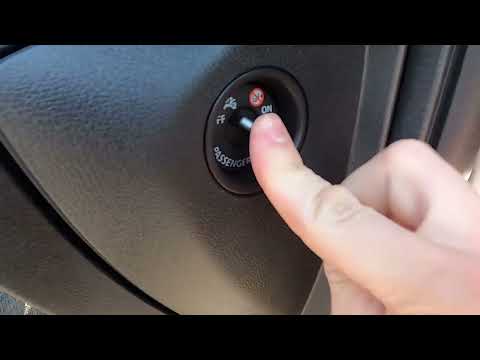
Vauxhall Vivaro
(2014-2019 /
MK 2)
Sometimes you may need to deactivate the passenger side airbag, which is common if you have small children and need to place a child seat. This tutor…

Vauxhall Vivaro
(2014-2019 /
MK 2)
This video demonstrates how to disable Eco mode on an Opel Vivaro B. In Eco mode, the throttle response, gear changes, and electrical systems are adj…

Vauxhall Vivaro
(2014-2019 /
MK 2)
Today, we will explain how to enable and disable the Cruise Control in the Opel Vivaro model B. To activate the system, press the button located unde…
Other guides you may be interested in |
Where are the fuses located on the Renault Laguna?
On the Renault Laguna, the fuses are located inside the fuse boxes installed in the vehicle: in this car model, you will find two boxes for containing the fuses. The first is in the fuse box on the left side of the dashboard, accessible by opening the driver's door: here you will find the fuses for the windscreen wipers, fog lights, horn, etc. The second box is located on the right side of the engine compartment: here you will find the fuses for the dipped headlights, radiator fan, alternator, etc. by ScegliAuto More videos
|
|
For advertising on this site Write to info@scegliauto.com
ScegliAuto is not responsible for any inaccuracy of the data in the lists. To report any inaccuracy or your business (if you own the business in question), please write to info@scegliauto.com
Number of seconds to generate the page: 0.045
(c) ScegliAuto 2026 - info@scegliauto.com - Privacy policy VAT number: IT01247470535 |
