
|
Do it yourself
| |||
| ||||


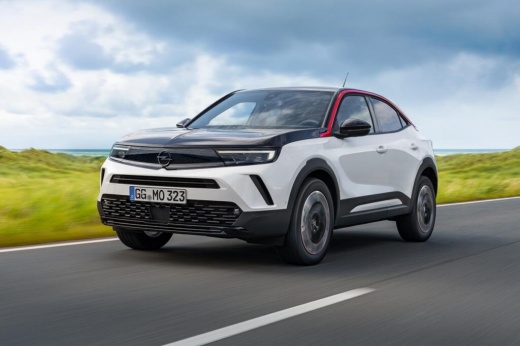
How to Reset the Tyre Warning Light on an Opel Mokka?
Model: Vauxhall Mokka
Mokka B
- Years:
2020, 2021, 2022, 2023, 2024, 2025, 2026
Video tutorial
Hello, today's goal is to reset the "Service" light on our Opel Mokka. Start by sitting in the driver's seat and turning on the ignition. Next, look for the option in the car's menu to manage the tyres. Once found, click on "reset tyre warning light" and follow the instructions on the screen. Finally, restart the car to ensure the light has turned off correctly. Once you complete this last step, you will have successfully finished the tyre warning light reset procedure on your Opel Mokka.
Updated on 16 September 2026 by ScegliAuto
Related tutorials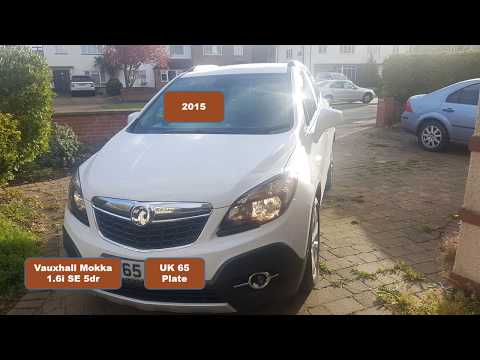
Vauxhall Mokka
(2012-2019 /
Mokka A)
Resetting the tyre warning light in the Opel Mokka is a very simple operation. Follow this tutorial. This procedure should only be followed after res…
Vauxhall Mokka
(2012-2019 /
Mokka A)
In this short video tutorial, we will see how to reset the tyre pressure light on an Opel Mokka. Start by turning on the instrument cluster without s…

Vauxhall Mokka
(2012-2019 /
Mokka A)
In this brief guide, we will provide instructions to allow you to recalibrate the tyre pressure sensors on the Opel Mokka. Before resetting the TPMS …
Other guides you may be interested in |
How to reset the service light on the Kawasaki Versys 1000
Resetting the service light on the Kawasaki Versys 1000 is a straightforward operation that can be done independently, aided by our brief video tutorial. Start the reset procedure by turning on the instrument cluster, then simultaneously press the right and left buttons on the left lever. Once in the menu, select the service option and wait for the reset to load; once completed, press the two buttons again to return to the main menu and restart the instrument cluster to complete the reset of the service light. by ScegliAuto More videos
|
|
For advertising on this site Write to info@scegliauto.com
ScegliAuto is not responsible for any inaccuracy of the data in the lists. To report any inaccuracy or your business (if you own the business in question), please write to info@scegliauto.com
Number of seconds to generate the page: 0.019
(c) ScegliAuto 2026 - info@scegliauto.com - Privacy policy VAT number: IT01247470535 |
