
|
Do it yourself
| |||
| ||||


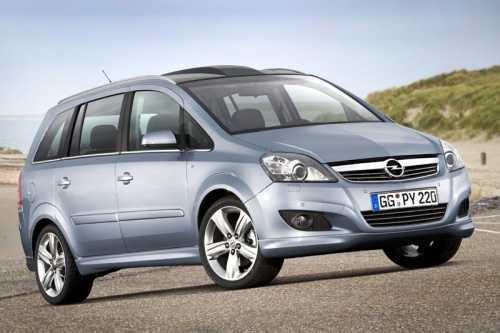
Where is the Starter Relay Located on an Opel Zafira?
Model: Vauxhall Zafira
MK 2, A05, Zafira B
- Years:
2005, 2006, 2007, 2008, 2009, 2010, 2011
Video tutorial
If the starter motor on your Opel Zafira has suddenly stopped working, first check the status of the respective relay, whose position is indicated in this video. As shown, the relay is located in the box inside the engine compartment, beneath the black plastic cover to the right of the battery. It is the first in the right column when looking at the vehicle from the front. If faulty, ensure you replace it with a part of equivalent specifications and always work with the vehicle turned off to avoid any damage.
Updated on 28 September 2026 by ScegliAuto
Related tutorials
Vauxhall Zafira
(2005-2011 /
MK 2, A05, Zafira B)
In this video, we can see where the fuses and relays are located in the Opel Zafira, to check if one or more devices suddenly stop working. As shown,…

Vauxhall Zafira
(2005-2011 /
MK 2, A05, Zafira B)
In this video we can see an Opel/Vauxhall Zafira that had a starting problem; the battery was fine, so the youtuber had the starter motor replaced, b…

Vauxhall Zafira
(2005-2011 /
MK 2, A05, Zafira B)
Good morning, today’s objective is to replace the starter motor on your Opel Zafira. Start by opening the front bonnet. Next, remove the hoses and ma…
Other guides you may be interested in
|
Frequently Asked QuestionsHow to Set the Time in an Audi A4?
In this tutorial, you will see how to set the time in an Audi A4, a very simple and quick operation to perform after replacing the battery or when the time changes. First, insert the key and turn on the instrument cluster. Then, press the "SETUP" button located on the center console. Next, press the upper left arrow button, navigate to the "Time" option, and use the central knob to adjust the clock. Finally, set any necessary formats and save by returning to the main screen. by ScegliAuto More videos
|
|
For advertising on this site Write to info@scegliauto.com
ScegliAuto is not responsible for any inaccuracy of the data in the lists. To report any inaccuracy or your business (if you own the business in question), please write to info@scegliauto.com
Number of seconds to generate the page: 0.064
(c) ScegliAuto 2026 - info@scegliauto.com - Privacy policy VAT number: IT01247470535 |
