
|
Do it yourself
| |||
| ||||


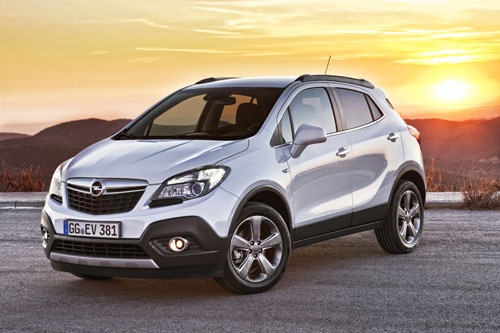
How to Unlock the Handbrake on the Opel Mokka When the Button Breaks
Model: Vauxhall Mokka
Mokka A
- Years:
2012, 2013, 2014, 2015, 2016, 2017, 2018, 2019
Video tutorial
This video shows how to unlock the handbrake on the Opel Mokka when the button breaks, without needing to call a breakdown service. You can do this yourself, although you will need to take the vehicle to a garage for proper repairs later. The handbrake lever has a metal cover. Remove it using a screwdriver or a spatula to avoid scratching anything, and underneath you will find a white button. Pull up the lever, push the button forward, and simultaneously press down on the handbrake lever. The handbrake is now released.
Updated on 5 October 2026 by ScegliAuto
Related tutorials
Vauxhall Mokka
(2012-2019 /
Mokka A)
In order to replace the handbrake button of the Opel Mokka, you need to pry with an object to completely remove the cover of the handbrake lever. Onc…

Vauxhall Mokka
(2012-2019 /
Mokka A)
In this video, you will see how to repair the damaged handbrake button on an Opel Mokka MK1: in this case, the button had broken inside, making it di…

Vauxhall Mokka
(2012-2019 /
Mokka A)
To adjust the handbrake on the Opel Mokka, use a tool to lever off the cover of the cup holder located in the centre console. Once this plastic cover…
Other guides you may be interested in |
How to Set the Time in an Audi A4?
In this tutorial, you will see how to set the time in an Audi A4, a very simple and quick operation to perform after replacing the battery or when the time changes. First, insert the key and turn on the instrument cluster. Then, press the "SETUP" button located on the center console. Next, press the upper left arrow button, navigate to the "Time" option, and use the central knob to adjust the clock. Finally, set any necessary formats and save by returning to the main screen. by ScegliAuto More videos
|
|
For advertising on this site Write to info@scegliauto.com
ScegliAuto is not responsible for any inaccuracy of the data in the lists. To report any inaccuracy or your business (if you own the business in question), please write to info@scegliauto.com
Number of seconds to generate the page: 0.014
(c) ScegliAuto 2026 - info@scegliauto.com - Privacy policy VAT number: IT01247470535 |
