
|
Do it yourself
| |||
| ||||


How do you reset the Service light on the Opel Combo?
Model: Vauxhall Combo
MK 5, Combo E
- Years 2019-2026
In order to reset the Service light that appears on the instrument panel of the Opel Combo, you will need to press and hold the button located at the end of the lever on the left side of the steering wheel. While continuing to hold down this button, you can insert the ignition key into the corresponding slot and turn it to start the instrument panel: a countdown will appear starting from ten. At the end of this countdown, you can release the button to see that the Service light has been reset correctly, and then turn off the instrument panel.
Posted on 18 July 2024 by ScegliAuto
Video tutorial
Related tutorials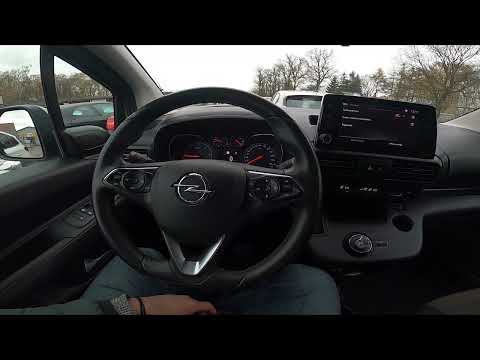
Vauxhall Combo
(2019-2026 /
MK 5, Combo E)
If you want to manually reset the tire pressure warning light of your Opel Combo E, but you don't know the steps you need to follow, then all you hav…

Vauxhall Combo
(2019-2026 /
MK 5, Combo E)
Below we will discover the process of resetting the service maintenance light on the Opel Combo, in simple steps. First, we get into the car and star…
Vauxhall Combo
(2001-2011 /
Combo C, MK 3)
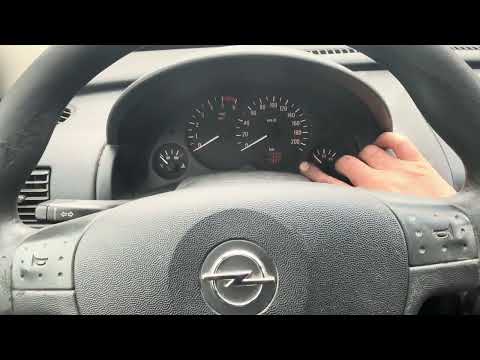
To reset the Service light on the Opel Combo, you need to press and hold the button located on the right side of the instrument panel while it is tur…
Other guides you may be interested in
|
How to Remove the Headlight Bulb on a Honda Civic
Are the front headlight bulbs on your Honda Civic faulty? Follow this instructional video for the disassembly process. Open the bonnet of the engine compartment, remove the inspection caps from the headlights using a screwdriver, detach the bulb holders from the headlight, and disconnect the respective power connectors. Replace the damaged bulbs with new ones of the same size and voltage. After replacing the bulbs, reinstall the bulb holder in the headlight housing. Finally, close the rear of the headlights with the inspection caps. Test the lights to ensure they are functioning correctly. by ScegliAuto More videos
|
|
For advertising on this site Write to info@scegliauto.com
ScegliAuto is not responsible for any inaccuracy of the data in the lists. To report any inaccuracy or your business (if you own the business in question), please write to info@scegliauto.com
Number of seconds to generate the page: 0.110
(c) ScegliAuto 2026 - info@scegliauto.com - Privacy policy VAT number: IT01247470535 |
