
|
Do it yourself
| |||
| ||||


How to Adjust the Brightness of the Instrument Cluster on a Peugeot Speedfight
Model: Peugeot Speedfight
Video tutorial
Today, you will learn how to adjust the brightness of the instrument cluster on a Peugeot Speedfight in under a minute without changing the reset settings. To perform this simple operation, turn on the instrument cluster and simultaneously press the buttons located on the cluster. While holding down the first button, the red button on the left of the cluster, you can adjust the brightness of the screen from 1 to 7, starting from a lower contrast to a higher one. After selecting the brightness, turn off and turn on the instrument cluster to complete the setup.
Posted on 1 April 2026 by ScegliAuto
Related tutorials
Speedfight
Today's steps will show you how to disassemble and replace the carburettor of the Peugeot Speedfight scooter. First, place the scooter on the centre …

Speedfight
This guide provides instructions to dismantle and clean the carburettor of the Peugeot Speedfight scooter. First, place the scooter on the centre sta…

Speedfight
Today's main steps will show us how to disassemble and replace the clutch of the Peugeot Speedfight 50 scooter. First of all, we put the scooter on t…
|
How to Reset the Service Light on a KTM Super Duke 1290 R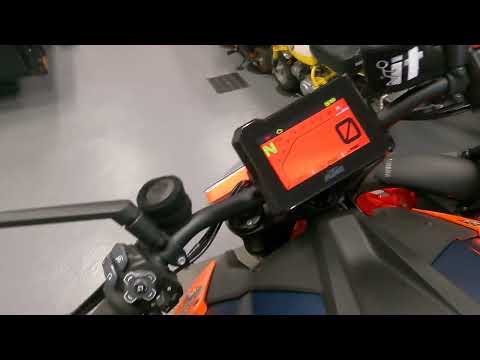
This tutorial shows how to reset the service light on a KTM Super Duke 1290 R, a very simple and quick operation. Before proceeding, ensure that you have completed the required scheduled maintenance. Start by inserting the key and turning on the instrument panel, then navigate to the general menu, move the selector to "Options" and press the two indicated buttons. Adjust the two intervals using the directional arrows, return to the main screen, and restart the panel to verify that the reset was successful. by ScegliAuto More videos
|
|
For advertising on this site Write to info@scegliauto.com
ScegliAuto is not responsible for any inaccuracy of the data in the lists. To report any inaccuracy or your business (if you own the business in question), please write to info@scegliauto.com
Number of seconds to generate the page: 0.011
(c) ScegliAuto 2026 - info@scegliauto.com - Privacy policy VAT number: IT01247470535 |
