
|
Do it yourself
| |||
| ||||


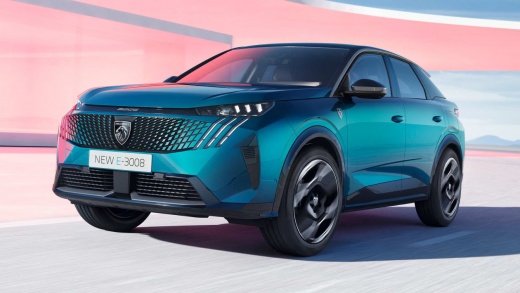
How do you reset the partial odometer in the Peugeot 3008?
Model: Peugeot 3008
P64
- Years:
2023, 2024, 2025, 2026
Video tutorial
The new Peugeot 3008 features a multitude of functions contained in just a few buttons and commands. Watching this video is an example of this, in fact the button on the left side of the steering wheel allows access to the Settings Menu and then choose from the many available options, such as Display Configuration, Driving Settings, Navigation, Radio choices selection and much more. Among the various selections, it is also possible to choose the daily route to take, the expected mileage and then at the end of this, also the deletion of said mileage.
Posted on 30 January 2025 by ScegliAuto
Related tutorials
Peugeot 3008
(2016-2023 /
P84, MK 2)
The Peugeot 3008, of which we can see a video presentation available here, offers the possibility to reset the partial odometer, thus being able to, …

Peugeot 3008
(2016-2023 /
P84, MK 2)
In this video, you can see how to reset the trip odometer on a Peugeot 3008: on the display located in the centre of the instrument cluster, between …

Peugeot 3008
(2016-2023 /
P84, MK 2)
Today we will explain how to reset the daily odometer on Peugeot 3008, Peugeot 508, and Peugeot 5008 vehicles. To perform this simple operation, we n…
Other guides you may be interested in
|
Frequently Asked QuestionsHow to reset the Service light on a 2019 Jeep Renegade?
The Service light, depicted as a yellow spanner, illuminates as scheduled to remind the driver that it is time for scheduled maintenance. This means that the set mileage has been reached, or the expected time has passed. The procedure involves turning on the instrument cluster, pressing the accelerator three times, and then turning off the ignition. After this, keep the brake pressed, turn the ignition back on, and then turn it off again. Upon the next ignition, you will notice that the light has been reset. by ScegliAuto More videos
|
|
For advertising on this site Write to info@scegliauto.com
ScegliAuto is not responsible for any inaccuracy of the data in the lists. To report any inaccuracy or your business (if you own the business in question), please write to info@scegliauto.com
Number of seconds to generate the page: 0.066
(c) ScegliAuto 2026 - info@scegliauto.com - Privacy policy VAT number: IT01247470535 |
