
|
Do it yourself
| |||
| ||||


How to Set the Time on the Peugeot Partner?
Model: Peugeot Partner Tepee
B9
- Years 2008-2018
In the Peugeot Partner without a modern multimedia system, the time adjustment is done using the buttons on the radio. The entire procedure must be performed with the instrument panel powered on: the key must be turned to the ON position. To access the settings that allow you to set the time, press the menu button located on the right side. From here, navigate through the various options using the arrow buttons also on the right side and select the clock option with the OK button. At this point, use the up or down arrows to select what to modify (hours, minutes, etc.) and the side arrows to make the adjustments. Confirm with OK, and you are done.
Updated on 20 July 2026 by ScegliAuto
Video tutorial
Related tutorials
Peugeot Partner Tepee
(2008-2018 /
B9)
The clock in a vehicle is mainly adjusted at distinct times, such as when switching from daylight saving time to standard time and vice versa, or if …

Peugeot Partner Tepee
(2008-2018 /
B9)
In this guide we will see the steps that will allow us to set the time on the display of the instrument panel on the Peugeot Partner Tepee, but also …
Peugeot Partner Tepee
(2018-2026 /
MK 3)
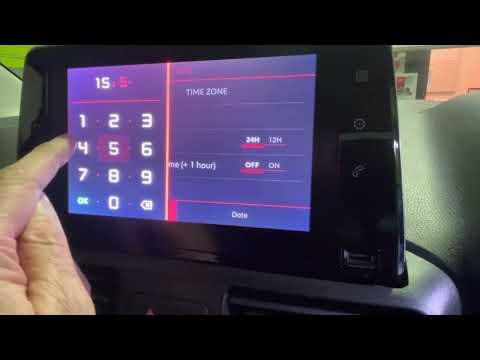
This tutorial for setting the clock on the 2022 Peugeot Partner applies to this model and all others equipped with the same Digital Dash system. Star…
Other guides you may be interested in
|
Fuses Location and Diagram for the Volkswagen Crafter
In this guide, we will look at the location of the fuse boxes and how to find their diagram for the Volkswagen Crafter. First, get inside the vehicle and start by removing the plastic cover found under the steering wheel, to access the internal fuse box; you will find another fuse box in the engine compartment by removing the plastic cover located next to the battery. At this point, use the owner's manual to find the fuse diagram, which will allow you to identify and replace any blown fuses with new ones! by ScegliAuto More videos
|

|
For advertising on this site Write to info@scegliauto.com
ScegliAuto is not responsible for any inaccuracy of the data in the lists. To report any inaccuracy or your business (if you own the business in question), please write to info@scegliauto.com
Number of seconds to generate the page: 0.203
(c) ScegliAuto 2026 - info@scegliauto.com - Privacy policy VAT number: IT01247470535 |
