
|
Do it yourself
| |||
| ||||


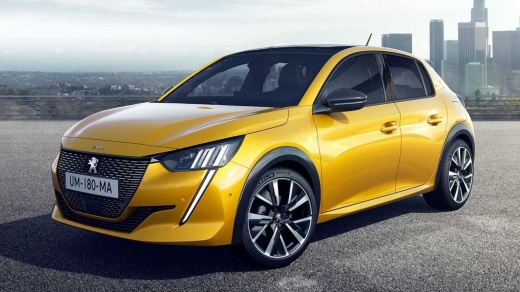
How to Reset the Tyre Warning Light on the Peugeot 208?
Model: Peugeot 208
UP, UW, UB, UJ, MK 2
- Years:
2019, 2020, 2021, 2022, 2023, 2024, 2025, 2026
Video tutorial
In this tutorial, you will see how to reset the tyre warning light on the Peugeot 208, a very simple and quick operation. Before proceeding, ensure that you have restored the correct pressure in each tyre according to the instructions in the manual. Start by inserting the key and turning on the instrument cluster, then press the button depicting a vehicle located on the central console. Next, navigate to the "Driving functions" tab, enter "Under-inflation initialisation" and complete the procedure by selecting "Yes". Restart the vehicle to verify that the reset has been successful.
Updated on 24 July 2026 by ScegliAuto
Related tutorials
Peugeot 208
(2012-2019 /
MK 1, A9)
If the orange tyre pressure light on the instrument cluster of your first-generation Peugeot 208 (2017 model) illuminates despite no punctures or pre…

Peugeot 208
(2019-2026 /
UP, UW, UB, UJ, MK 2)
In order to reset the tire pressure warning light on the Peugeot 208, you need to inflate the tires until they reach the correct pressure value: this…

Peugeot 208
(2012-2019 /
MK 1, A9)
If you want to manually reset the tire pressure warning light on the instrument panel of your first-generation Peugeot 208 even in the absence of pun…
Other guides you may be interested in
|
How to Open the Fuel Flap on a Volkswagen Tiguan?
To open the fuel flap on a Volkswagen Tiguan, first unlock the car using the appropriate button on the remote. This will open the car and unlock the mechanism that controls the fuel flap. At this point, apply light pressure to the left side of the flap to open it and access the cap underneath. Once this is unscrewed, you can refuel and then close everything. by ScegliAuto More videos
|
|
For advertising on this site Write to info@scegliauto.com
ScegliAuto is not responsible for any inaccuracy of the data in the lists. To report any inaccuracy or your business (if you own the business in question), please write to info@scegliauto.com
Number of seconds to generate the page: 0.095
(c) ScegliAuto 2026 - info@scegliauto.com - Privacy policy VAT number: IT01247470535 |
