
|
Do it yourself
| |||
| ||||


How to Set the Dashboard Customisations on Peugeot 208
Model: Peugeot 208
UB, UJ, UP, MK 2, UW
- Years 2019-2026
Let’s see in this video how to customise the dashboard of the Peugeot 208: you can scroll through the set modes using the scroll button on the steering wheel, located on the left. The available options are: classic, with traditional speedometer and rev counter; driving, which shows driving assistants like Lane Assist; navigation with the direction stick in the centre; minimal, with an essential 2D design; energy (which only applies to the electric version) that displays real-time energy flow (green) and consumption (blue). To make this customisation, go to "settings" (at the top right of the central screen) and from there to "dashboard customisation". Choose between "personal 1" and "personal 2", and select what to display: media (radio station/volume); trip computer (consumption/range); fatigue detection (alerts/coffee). To change on the fly, simply scroll with the physical button without getting distracted. It is not possible to duplicate the same choice in "personal 1" and "personal 2".
Posted on 10 March 2026 by ScegliAuto
Video tutorial
Related tutorials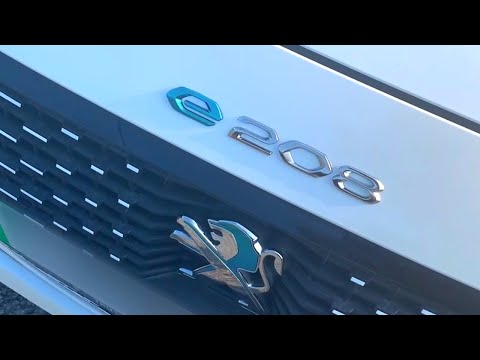
Peugeot 208
(2019-2026 /
UB, UJ, UP, MK 2, UW)
In this video, you can see how to update the badge of the electric Peugeot 208, which has the custom '208-e' badge only on the rear, while the front …

Peugeot 208
(2012-2019 /
A9, MK 1)
On the Peugeot 208, resetting the maintenance interval and oil light is done directly from the instrument cluster. With the Peugeot 208 stationary an…

Peugeot 208
(2019-2026 /
UB, UJ, UP, MK 2, UW)
In the 2021 Peugeot 208 vehicles, a onboard computer with various useful functions for the driver is installed in the center of the dashboard, such a…
Other guides you may be interested in
|
How to Open a Stuck Boot on the Peugeot 407?
On the Peugeot 407, the boot may become stuck, possibly due to a problem with the control button or the lock actuator. In such cases, you can perform an emergency opening by following the simple procedure shown in this tutorial. First, open the rear doors, then lower the seat back by operating the release lever. Next, go inside the boot, locate the lock, and manually operate it using a flathead screwdriver. The boot will then be free to open. by ScegliAuto More videos
|
|
For advertising on this site Write to info@scegliauto.com
ScegliAuto is not responsible for any inaccuracy of the data in the lists. To report any inaccuracy or your business (if you own the business in question), please write to info@scegliauto.com
Number of seconds to generate the page: 1.173
(c) ScegliAuto 2026 - info@scegliauto.com - Privacy policy VAT number: IT01247470535 |
