
|
Do it yourself
| |||
| ||||


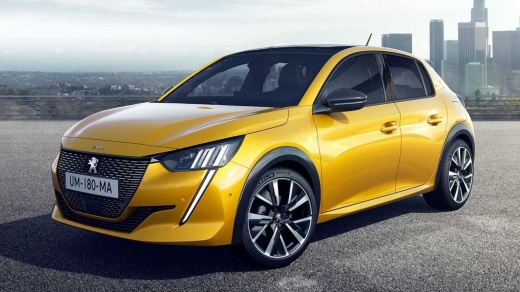
Functions of the touch screen monitor of the Peugeot 208
Model: Peugeot 208
UP, UW, UB, UJ, MK 2
- Years:
2019, 2020, 2021, 2022, 2023, 2024, 2025, 2026
Video tutorial
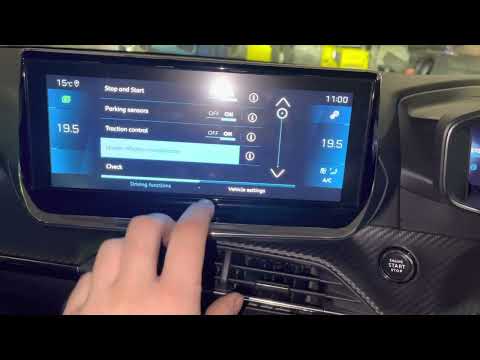
In this video we can see the main functions of the touch screen display of the Peugeot 208: by pressing the music note button we can access the various radio stations, choose whether to stay on the radio or go to the bluetooth function, and it will read the songs that are inserted on Spotify in this case; scrolling down to the next function we find the navigator, still below we have the adjustment of the air conditioner temperature and where the air should come from. On the right side we have the phone functions, from which we can also manage SMS and photos; just below we have the car functions, where there are different functions that can be kept active or not, according to our preferences. Some functions are also enabled on buttons on the steering wheel, such as the radio volume or phone functions, obviously using the hands-free system.
Posted on 6 August 2025 by ScegliAuto
Related tutorials
Peugeot 208
(2019-2026 /
UP, UW, UB, UJ, MK 2)
Everything related to the available and adjustable settings in the Peugeot 208 can be managed from the touchscreen on the dashboard. By pressing the …

Peugeot 208
(2012-2019 /
MK 1, A9)
To restart the touchscreen display of the Peugeot 208, it is important to work with the car stationary and the ignition in the on position, so that t…
Peugeot 208
(2019-2026 /
UP, UW, UB, UJ, MK 2)
In this tutorial, see how to reset the tyre warning light on the Peugeot 208, a very simple and quick operation, to be done only after restoring the …
Other guides you may be interested in
|
How to Reset the Tire Pressure Light on a MG ZS?
On the instrument cluster of the MG ZS, the tire pressure light that appears can be reset by inflating the tires to the correct pressure: this value will be indicated on the sticker attached to the driver's door pillar. Once the tires have been properly inflated, you can turn on the instrument cluster and navigate through the menu until you find the option that indicates tire pressure: if this screen shows the new values, the light will turn off; otherwise, you will need to drive for a few miles so that the sensors can read the new values and turn off the light afterward. by ScegliAuto More videos
|
|
For advertising on this site Write to info@scegliauto.com
ScegliAuto is not responsible for any inaccuracy of the data in the lists. To report any inaccuracy or your business (if you own the business in question), please write to info@scegliauto.com
Number of seconds to generate the page: 0.026
(c) ScegliAuto 2026 - info@scegliauto.com - Privacy policy VAT number: IT01247470535 |
