
|
Do it yourself
| |||
| ||||


What Settings are Available on the Peugeot 208 Touchscreen?
Model: Peugeot 208
UB, UJ, UP, MK 2, UW
- Years 2019-2026
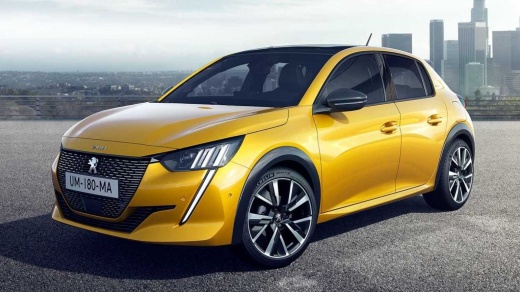
Everything related to the available and adjustable settings in the Peugeot 208 can be managed from the touchscreen on the dashboard. By pressing the Settings button, you gain access to a long list of options, including the Radio, where you can save stations, adjust the volume, etc. Then there are the climate control settings, temperature, and more, followed by the Navigation system, allowing you to save destinations, such as your home address, and so on. Additionally, you can choose the colours of the monitor, set the date and time, and much more.
Posted on 23 February 2026 by ScegliAuto
Video tutorial
Related tutorials
Peugeot 208
(2019-2026 /
UB, UJ, UP, MK 2, UW)
Nothing could be easier to do, regarding the settings of the Peugeot 208, especially setting the time, both legal and solar. By carefully observing t…

Peugeot 208
(2019-2026 /
UB, UJ, UP, MK 2, UW)
In this video we can see the main functions of the touch screen display of the Peugeot 208: by pressing the music note button we can access the vario…

Peugeot 208
(2012-2019 /
A9, MK 1)
To restart the touchscreen display of the Peugeot 208, it is important to work with the car stationary and the ignition in the on position, so that t…
Other guides you may be interested in
|
Frequently Asked QuestionsHow to reset the tire pressure sensor of the Hyundai Tucson
Below we will discover the instructions that will allow us to reset the tire pressure warning light (TPMS) of the Hyundai Tucson. First of all, we get into the car and turn on the instrument panel; then we go to the vehicle settings until we reach the tire pressure monitor, identifying the tire with the incorrect pressure. At this point, we proceed to restore all tire pressures, following the pattern indicated on the label; in this way the TPMS system will be reset and the warning light will be reset by the instrument panel! by ScegliAuto More videos
|
|
For advertising on this site Write to info@scegliauto.com
ScegliAuto is not responsible for any inaccuracy of the data in the lists. To report any inaccuracy or your business (if you own the business in question), please write to info@scegliauto.com
Number of seconds to generate the page: 0.445
(c) ScegliAuto 2026 - info@scegliauto.com - Privacy policy VAT number: IT01247470535 |
