
|
Do it yourself
| |||
| ||||


Replacing the Remote Battery of the Piaggio Beverly Hpe
Model: Piaggio Beverly 300 Hpe
Video tutorial
If the battery of the remote for the Piaggio Beverly Hpe is depleted, proceed with its replacement. Use a small flathead screwdriver to pry at the base of the silver cover and remove it. Apply pressure with your fingers along the edges to separate the two halves. Remove the three silver buttons, then use a small crosshead screwdriver to remove the four screws securing the central body and separate it from the shell. Remove the plastic frame and the rubber cover. Use the flathead screwdriver to push the battery sideways and replace it with a new CR2032, ensuring correct polarity. Refit the rubber cover. Position the central body correctly in the shell, replace the frame, and screw in the four screws. Reinsert the three buttons, join the two halves, and insert the silver cover.
Updated on 26 October 2026 by ScegliAuto
Related tutorials
Beverly 300 Hpe
Today, let's discover the procedure to disassemble and replace the battery of the remote key for the Piaggio Beverly 300 HPE scooter. First, take you…

Beverly 300 Hpe
This tutorial shows how to replace the remote battery for a Piaggio Beverly 300 HPE scooter, an extremely simple and quick task. You will need a smal…

Beverly 300 Hpe
The display of the central panel of your Piaggio Beverly 300 HPE can be shown in two different colors. If you want to change it manually, just follow…
|
How to Reset the Service Light on a KTM Super Duke 1290 R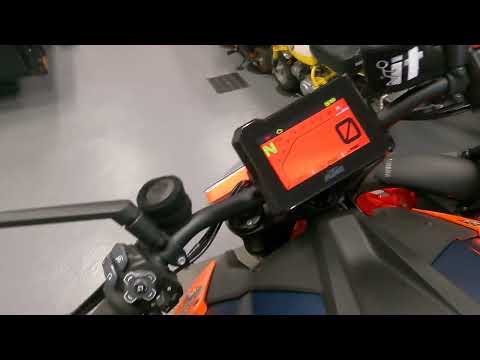
This tutorial shows how to reset the service light on a KTM Super Duke 1290 R, a very simple and quick operation. Before proceeding, ensure that you have completed the required scheduled maintenance. Start by inserting the key and turning on the instrument panel, then navigate to the general menu, move the selector to "Options" and press the two indicated buttons. Adjust the two intervals using the directional arrows, return to the main screen, and restart the panel to verify that the reset was successful. by ScegliAuto More videos
|
|
For advertising on this site Write to info@scegliauto.com
ScegliAuto is not responsible for any inaccuracy of the data in the lists. To report any inaccuracy or your business (if you own the business in question), please write to info@scegliauto.com
Number of seconds to generate the page: 0.019
(c) ScegliAuto 2026 - info@scegliauto.com - Privacy policy VAT number: IT01247470535 |
