
|
Do it yourself
| |||
| ||||


A very common problem with the Piaggio MP3: steering bearings
Model: Piaggio Mp3
Video tutorial
In this video, the YouTuber explains to us that almost no MP3 owner performs maintenance on a small but crucial part: the lower bearing of the fork, which is the element that allows the handlebars to turn smoothly. Unfortunately, Piaggio does not provide an official recommendation for its periodic maintenance, so both owners and mechanics forget about it until it's too late. We realize this when we turn the handlebars and feel a resistance or a "hard spot" during rotation. If we feel this symptom, it means that the bearing is already worn out or damaged; this leads to having to replace both (lower and upper) bearings, which can be very costly and compromises the safety of the scooter. Performing a preventive operation costs no more than 100 euros, to disassemble, clean, adjust, and grease the existing bearings; it should definitely be done if our scooter is a bit older.
Posted on 4 September 2025 by ScegliAuto
Related tutorials
Mp3
To replace the steering cowl on the Piaggio MP3, first loosen the screws that secure the mirrors to their housing. Once these screws are loosened, yo…

Mp3
Today's procedure will show you how to remove and replace the front headlight of the Piaggio MP3 scooter in simple steps. First, place the scooter on…
Mp3
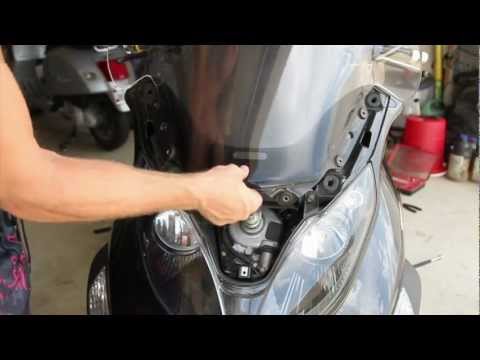
In this brief and simple guide, see the steps to remove and replace the front windscreen of the Piaggio MP3 scooter, following the instructions below…
|
How to change the time on a Piaggio Vespa?
To change the time on a Piaggio Vespa, turn on the scooter and access the control panel. Look for the button that allows you to enter the settings menu. Once in the settings menu, find the option "Date and Time" or "Clock Settings". Select this option and use the directional buttons to adjust the correct time. Ensure you set the correct time format, if available (for example, 12-hour or 24-hour format). After setting the desired time, confirm the settings and exit the menu. Check the display to ensure the time has been updated correctly. by ScegliAuto More videos
|
|
For advertising on this site Write to info@scegliauto.com
ScegliAuto is not responsible for any inaccuracy of the data in the lists. To report any inaccuracy or your business (if you own the business in question), please write to info@scegliauto.com
Number of seconds to generate the page: 0.008
(c) ScegliAuto 2026 - info@scegliauto.com - Privacy policy VAT number: IT01247470535 |
