
|
Do it yourself
| |||
| ||||


Removing the hub assembly from a Dodge Ram 3500
Model: RAM 3500
DS, MK 4, DJ
- Years 2009-2019
The video shows a simple trick for removing a hub assembly from a Dodge RAM 3500. First, lift the car to remove the wheel and hub cap. Unscrew the two bolts of the brake caliper and remove it. Loosen the pressure of the hub screws with a wrench and then tap it with a hammer to remove it. Using a 3/4 inch drill, unscrew to remove the disc brake, also with the help of the hammer. At this point, to remove the hub assembly, loosen the 7 inch screws and slowly turn the steering wheel. In this way its removal is facilitated.
Posted on 7 July 2022 by ScegliAuto
Video tutorial
Related tutorials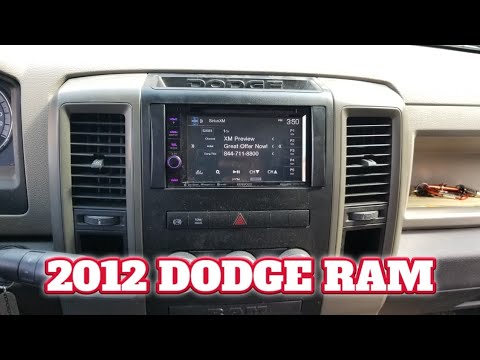
RAM 3500
(2009-2019 /
DS, MK 4, DJ)
The guide shows how to disassemble the Dodge Ram 3500 Mk4 car radio. The removal of this element for the vehicle in question is quite simple since it…
RAM 3500
(2019-2026 /
DT, MK 5)
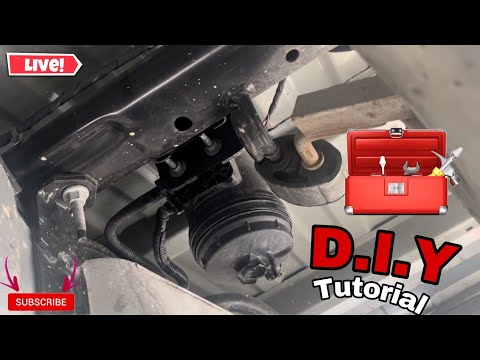
Today we will discover the main steps that will allow us to disassemble and replace the fuel filter of the Dodge RAM 3500 6.7L. First, we lift the ve…

RAM 3500
(2009-2019 /
DS, MK 4, DJ)
In order to replace the rear brake disc of the Dodge RAM 3500 you need to loosen the bolts that secure the wheel corresponding to the brake to be rep…
Other guides you may be interested in
|
Resetting Tyre Pressure Light on Ford Fiesta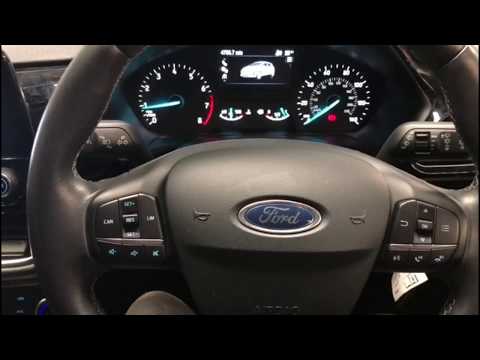
In this video tutorial, you will learn how to reset the tyre pressure warning light on a Ford Fiesta. Get into the car and turn on the ignition: you will notice that the warning light stays on unlike the others that turn off. Then press the button on the steering wheel for the menu and scroll through the display until you find "tyre pressure". Click and proceed to reset; then all you need to do is turn off the ignition and turn it back on. You will see that the warning light has been reset! Check the correct pressure of all the tyres! by ScegliAuto More videos
|
|
For advertising on this site Write to info@scegliauto.com
ScegliAuto is not responsible for any inaccuracy of the data in the lists. To report any inaccuracy or your business (if you own the business in question), please write to info@scegliauto.com
Number of seconds to generate the page: 0.052
(c) ScegliAuto 2026 - info@scegliauto.com - Privacy policy VAT number: IT01247470535 |
