
|
Do it yourself
| |||
| ||||


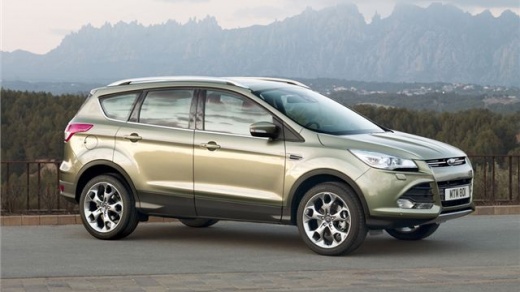
How to Reset the Tyre Pressure Light on a Ford Kuga?
Model: Ford Kuga
MK 2, C520
- Years:
2012, 2013, 2014, 2015, 2016, 2017, 2018, 2019
Video tutorial
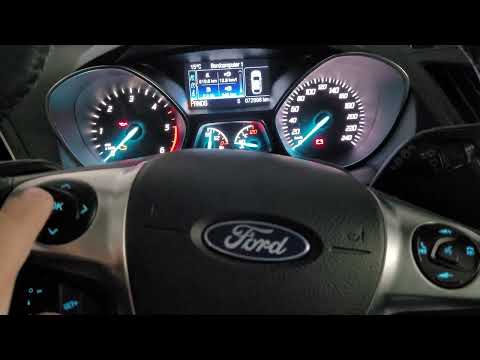
In this tutorial, we will see how to reset the tyre pressure light on the Ford Kuga, a very simple and quick operation, to be carried out only after restoring the correct pressure in each tyre according to the instructions in the manual. First, enter the cabin, then insert the key and turn on the ignition. Next, access the general menu using the appropriate button on the steering wheel, go to "Settings", "Driver assist", "Tyre pressure", and perform the reset by holding down the "OK" button. To complete the procedure, simply restart the vehicle.
Posted on 20 March 2026 by ScegliAuto
Related tutorials
Ford Kuga
(2012-2019 /
MK 2, C520)
Let’s go through the essential steps to reset the tyre pressure warning light on a Ford Kuga second series; before performing the operation, it is ne…
Ford Kuga
(2012-2019 /
MK 2, C520)
To reset the tyre pressure warning light on the Ford Kuga, turn the ignition on by rotating the key, allowing access to the menu options on the instr…

Ford Kuga
(2012-2019 /
MK 2, C520)
In this mini guide dedicated to your 2017 Ford Kuga, you will learn how to correctly perform the manual reset of the tyre warning light. First, park …
Other guides you may be interested in
|
How to Enter the Unlock Code for the Radio in the Nissan Micra?
In this tutorial, you will see how to enter the unlock code for the radio in the Nissan Micra, a very simple operation to perform in case of memory loss after replacing the battery. The code can be found in the documents provided at purchase or through one of the various online recovery services. First, turn on the instrument panel, then repeatedly press the "1" button until you reach the first digit of the code. Follow the same logic to enter the remaining 3 digits using the "2", "3", and "4" buttons, and confirm the entry with the up arrow button. by ScegliAuto More videos
|
|
For advertising on this site Write to info@scegliauto.com
ScegliAuto is not responsible for any inaccuracy of the data in the lists. To report any inaccuracy or your business (if you own the business in question), please write to info@scegliauto.com
Number of seconds to generate the page: 0.095
(c) ScegliAuto 2026 - info@scegliauto.com - Privacy policy VAT number: IT01247470535 |
