
|
Do it yourself
| |||
| ||||


Renault Renault Various - Onboard computerOnboard Computer Renault Renault Various ( / ) Renault Renault Various
 How to Update R-Link1 R-Link 1 is the multimedia system installed in many Renault models between 2012 and 2016, and its main characteristic is that it is outdated and slow, not …Read all… Posted on 30 March 2026 by ScegliAuto  Renault Renault Various
 Speed limiter and speed adapter on Renault cars In this video we talk about a function that is now present in many cars, but unfortunately few people know, use and appreciate, namely the speed limiter. It is …Read all… Posted on 14 March 2025 by ScegliAuto  Renault Renault Various
 How to reset the multimedia system R-Link in a Renault? In this tutorial we can see how to reset the multimedia system R-Link in a Renault, an extremely simple and quick operation to be carried out as an attempt to …Read all… Posted on 31 December 2024 by ScegliAuto  Renault Renault Various
 How to set the speed limiter on a Renault car In this video we can see how to set the speed limiter on a Renault car: Speed limiter and cruise control are two different things, because while cruise control …Read all… Posted on 16 November 2024 by ScegliAuto  Renault Renault Various
 How to disassemble the Renault medianav In this video we see how to disassemble the mediaNav of Renault, Dacia, Nissan and Opel cars. First, we remove the frame surrounding the device, which is only …Read all… Posted on 19 October 2024 by ScegliAuto  Renault Renault Various
 Tire pressure monitoring on a Renault vehicle In this video we can see how the tire reset system works on a Renault car: the tire pressure monitoring system displays the current tire pressures on the …Read all… Posted on 28 June 2024 by ScegliAuto 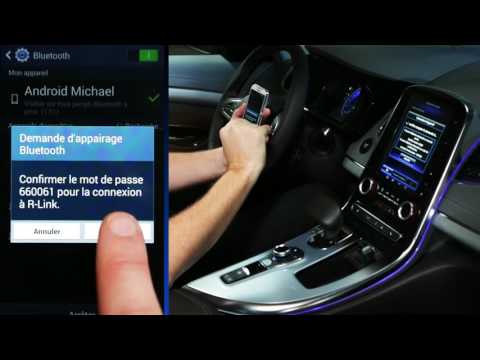 Renault Renault Various
 How to Install Android Auto on the Renault R-Link 2 System In this video, you will see how to pair your Android phone with the Renault R-Link 2 system. First, ensure that Bluetooth is activated on your device and that …Read all… Posted on 20 August 2026 by ScegliAuto  Renault Renault Various
 How to Update Navigation Maps on a Renault? If you want to update the navigation maps of your vehicle, follow the instructions provided below and also check the video. After turning on the dashboard, …Read all… Posted on 29 July 2026 by ScegliAuto 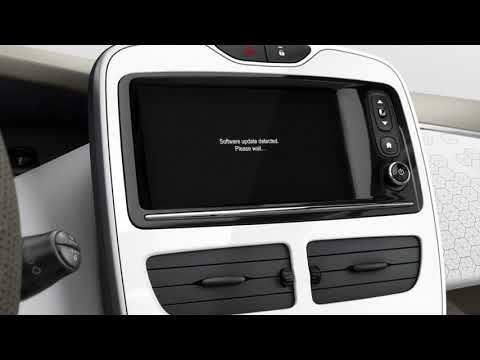 Renault Renault Various
 How to Update Tom Tom R-Link on Renault Vehicles The update will not be a difficult or excessively long operation. First, go to the "Renault easy connect" website, click on the drop-down menu "multimedia …Read all… Posted on 18 June 2026 by ScegliAuto Air conditioning (1) Car stereo (12) Battery (5) Ignition coil (1) Air vents (1) Transmission (2) Control unit (1) Key (29) Timing belt (3) Onboard computer (9) Checks and maintenance (20) Oil pan (1) Air filter (1) Cabin air filter (1) Parking brake (1) Headlight bulb (1) Engine (7) Engine oil (1) Clock (6) Door trim panel (1) Shift knob (4) Instrument cluster (5) Wheel (1) Fuse box (12) Seat (1) Side mirror (1) Rearview mirror (1) AdBlue warning light (2) Warning light – error code (29) (6) Tire pressure warning light (3) Service warning light (36) Manufacturer emblem (1) EGR valve (1) Steering wheel (1) |
Fuses Location and Diagram for the Volkswagen Crafter
In this guide, we will look at the location of the fuse boxes and how to find their diagram for the Volkswagen Crafter. First, get inside the vehicle and start by removing the plastic cover found under the steering wheel, to access the internal fuse box; you will find another fuse box in the engine compartment by removing the plastic cover located next to the battery. At this point, use the owner's manual to find the fuse diagram, which will allow you to identify and replace any blown fuses with new ones! by ScegliAuto More videos
|
|
For advertising on this site Write to info@scegliauto.com
ScegliAuto is not responsible for any inaccuracy of the data in the lists. To report any inaccuracy or your business (if you own the business in question), please write to info@scegliauto.com
Number of seconds to generate the page: 0.079
(c) ScegliAuto 2026 - info@scegliauto.com - Privacy policy VAT number: IT01247470535 |
