
|
Do it yourself
| |||
| ||||


How to Update Tom Tom R-Link on Renault Vehicles
Model: Renault Renault Various
The update will not be a difficult or excessively long operation. First, go to the "Renault easy connect" website, click on the drop-down menu "multimedia systems" (the menu is at the top of the site) and select "R-Link"; the screen for the selected model will open, then click on "R-Link update". Enter the vehicle's chassis number (if you do not know it, you can easily find it by clicking the appropriate button, which will show its location on the vehicle). If the operation is executable, the update file will be downloaded, which must be unpacked and loaded onto a USB stick (8-32 GB in FAT32 format). Once done, in the car, start the engine and turn on R-Link; insert the USB stick into the port and press "yes" when some messages appear on the screen. The update may take 15-20 minutes. At the end of this operation, the message "Updating CanCoProcessor" may be displayed; if this warning appears, wait a few minutes until the system fully restarts, then disconnect the USB stick. From this moment, the operation will be complete.
Updated on 2 May 2026 by ScegliAuto
Video tutorial
Related tutorials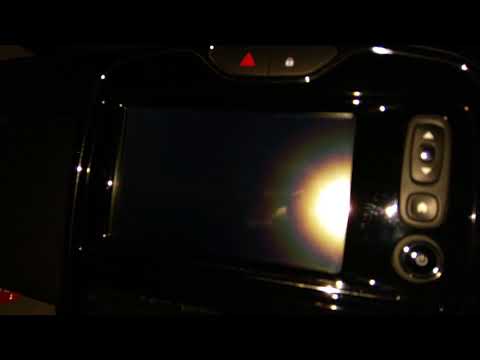
Renault Renault Various
If the R Link GPS system in your Renault suddenly experiences serious operational issues, simply perform a reset. This operation is fortunately quite…

Renault Renault Various
To reset the R-Link 2 system installed on the instrument panel of Renaults, first insert the ignition key into the ignition switch and turn it to pow…

Renault Renault Various
In order to update the software of Renault's MediaNav, you need to download the specific update package from the official website of the manufacturer…
Other guides you may be interested in
|
How to Bleed the Clutch on a Renault Clio?
To bleed the clutch on a Renault Clio, open the bonnet to access the components located in the engine bay: here, you will need to undo the screws that secure the battery in its housing, the intake manifold, and the coolant reservoir. This will allow you to locate the pipe through which the brake fluid flows: by inserting the other end of the pipe into a container, you can press the clutch pedal to expel all the fluid until it fills the container. by ScegliAuto More videos
|
|
For advertising on this site Write to info@scegliauto.com
ScegliAuto is not responsible for any inaccuracy of the data in the lists. To report any inaccuracy or your business (if you own the business in question), please write to info@scegliauto.com
Number of seconds to generate the page: 0.532
(c) ScegliAuto 2026 - info@scegliauto.com - Privacy policy VAT number: IT01247470535 |
