
|
Do it yourself
| |||
| ||||


Renault Renault Various - Instrument clusterInstrument Cluster Renault Renault Various ( / ) Renault Renault Various
 How to completely deactivate the Start & Stop system on Renault vehicles In this video we can see how to deactivate the Start & Stop function on the Renault range: on the left side of the steering wheel we have a panel where the …Read all… Posted on 16 November 2024 by ScegliAuto  Renault Renault Various
 Advanced traction control on Renault cars In this video we see how the advanced traction control on Renault vehicles works: it has two modes, automatic and default. The system is able to identify low …Read all… Posted on 11 September 2024 by ScegliAuto  Renault Renault Various
 What can the activation of the "engine failure risk" warning on a Renault car be attributed to? In this video we can see the advice of a youtuber regarding the ignition of a worrying warning light that can come on in the instrument panel of a Renault car: …Read all… Posted on 18 June 2024 by ScegliAuto  Renault Renault Various
 How to Organise Widgets in the Renault Easylink System Here’s how to organise the Renault Easylink system if you are not using Apple CarPlay or Android Auto: start from the home page. Click on "Edit" at the …Read all… Posted on 9 August 2026 by ScegliAuto 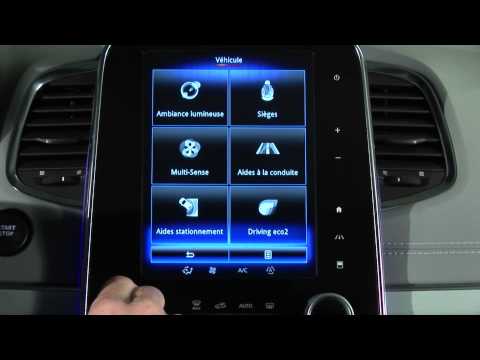 Renault Renault Various
 Renault Tyre Pressure Monitoring System Learn how the tyre pressure monitoring system works on the latest Renault vehicles: you can view this pressure system on the touch screen of your Renault's …Read all… Posted on 14 September 2026 by ScegliAuto Air conditioning (1) Car stereo (12) Battery (5) Ignition coil (1) Air vents (1) Transmission (2) Control unit (1) Key (29) Timing belt (3) Onboard computer (9) Checks and maintenance (20) Oil pan (1) Air filter (1) Cabin air filter (1) Parking brake (1) Headlight bulb (1) Engine (7) Engine oil (1) Clock (6) Door trim panel (1) Shift knob (4) Instrument cluster (5) Wheel (1) Fuse box (12) Seat (1) Side mirror (1) Rearview mirror (1) AdBlue warning light (2) Warning light – error code (29) (6) Tire pressure warning light (3) Service warning light (36) Manufacturer emblem (1) EGR valve (1) Steering wheel (1) |
Fuses Location and Diagram for the Volkswagen Crafter
In this guide, we will look at the location of the fuse boxes and how to find their diagram for the Volkswagen Crafter. First, get inside the vehicle and start by removing the plastic cover found under the steering wheel, to access the internal fuse box; you will find another fuse box in the engine compartment by removing the plastic cover located next to the battery. At this point, use the owner's manual to find the fuse diagram, which will allow you to identify and replace any blown fuses with new ones! by ScegliAuto More videos
|
|
For advertising on this site Write to info@scegliauto.com
ScegliAuto is not responsible for any inaccuracy of the data in the lists. To report any inaccuracy or your business (if you own the business in question), please write to info@scegliauto.com
Number of seconds to generate the page: 0.010
(c) ScegliAuto 2026 - info@scegliauto.com - Privacy policy VAT number: IT01247470535 |
