
|
Do it yourself
| |||
| ||||



How to permanently deactivate the Start & Stop on a Renault Clio IV
Model: Renault Clio
Clio IV, Clio 4, MK 4
- Years:
2012, 2013, 2014, 2015, 2016, 2017, 2018, 2019
Video tutorial
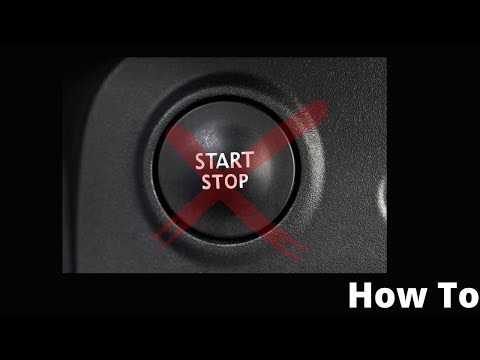
In this video we can see how to permanently deactivate the Start & Stop on a Renault Clio IV: first we look for the EOBD socket located in the central console, then we insert our OBD2, insert the key without turning on the car and connect via WI-FI to the V-LINK; from here we open the DDT4ALL program, choose the model of our car and then choose the ECU to connect to, which is the BCM/UCH; we select T4_VS_BCM_BIS_DDT2000_SW13_1 and in "action" we select "GEE configuration"; we go to select the "expert" mode through the Einstein icon and then click on the line E_B_STARTSTOPINHIBIT_CF selecting the "true" option. We confirm with "send" and check that the request has been correctly sent. And it's done!
Posted on 31 December 2024 by ScegliAuto
Related tutorials
Renault Clio
(2019-2026 /
Clio V, Clio 5)
Temporarily deactivating the Start&Stop system on the Renault Clio model V is a simple and quick task you can do yourself. Simply start the vehicle a…

Renault Clio
(2012-2019 /
Clio IV, Clio 4, MK 4)
The following steps will show us how to activate and deactivate the Start&Stop system of the Renault Clio, as well as the Captur. First, we get on bo…
Renault Clio
(2012-2019 /
Clio IV, Clio 4, MK 4)
To disable the Start&Stop system on a Renault Clio, remove the side panel of the dashboard near the driver's door and the light activation controls. …
Other guides you may be interested in |
How to Set the Time in an Audi A4?
In this tutorial, you will see how to set the time in an Audi A4, a very simple and quick operation to perform after replacing the battery or when the time changes. First, insert the key and turn on the instrument cluster. Then, press the "SETUP" button located on the center console. Next, press the upper left arrow button, navigate to the "Time" option, and use the central knob to adjust the clock. Finally, set any necessary formats and save by returning to the main screen. by ScegliAuto More videos
|
|
For advertising on this site Write to info@scegliauto.com
ScegliAuto is not responsible for any inaccuracy of the data in the lists. To report any inaccuracy or your business (if you own the business in question), please write to info@scegliauto.com
Number of seconds to generate the page: 0.072
(c) ScegliAuto 2026 - info@scegliauto.com - Privacy policy VAT number: IT01247470535 |
