
|
Do it yourself
| |||
| ||||


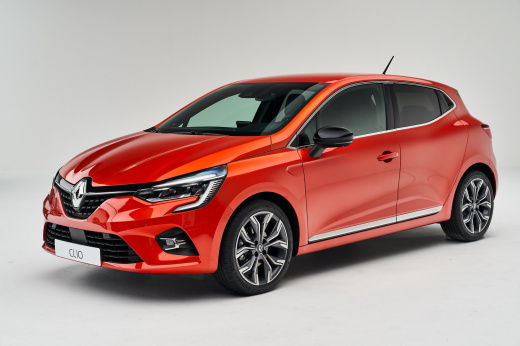
How do you reset the AdBlue warning light on the Renault Clio 5?
Model: Renault Clio
Clio V, Clio 5
- Years:
2019, 2020, 2021, 2022, 2023, 2024, 2025, 2026
Video tutorial
The ignition of the Adblue warning light causes a blockage, if the refill is not done shortly, of the car, in this case the Renault Clio 5. The tank of the aforementioned anti-pollution additive, when it reaches reserve, promptly warns us, even though there is still some mileage available. After the aforementioned refill, the same warning light will reset automatically, unless additional problems arise and in that case it is necessary to go to the workshop, where, thanks to the equipment shown in the video uploaded here, you will connect to the control unit to perform the reset in question.
Posted on 23 February 2025 by ScegliAuto
Related tutorials
Renault Clio
(2019-2026 /
Clio V, Clio 5)
Let's discover the instructions that will allow us to reset the AdBlue refill warning for the Renault Clio 1.5 dCi. First of all, it is necessary to …

Renault Clio
(2019-2026 /
Clio V, Clio 5)
In order to make the AdBlue warning light disappear from the instrument panel of the Renault Clio, you need to top up with the necessary amount of ad…

Renault Clio
(2019-2026 /
Clio V, Clio 5)
Let's go see, about the Renault Clio 5, for which we have a video review, how to reset the adblue warning light. The adblue, we remind you, is an ant…
Other guides you may be interested in
|
Where are the fuses located on the Renault Laguna?
On the Renault Laguna, the fuses are located inside the fuse boxes installed in the vehicle: in this car model, you will find two boxes for containing the fuses. The first is in the fuse box on the left side of the dashboard, accessible by opening the driver's door: here you will find the fuses for the windscreen wipers, fog lights, horn, etc. The second box is located on the right side of the engine compartment: here you will find the fuses for the dipped headlights, radiator fan, alternator, etc. by ScegliAuto More videos
|
|
For advertising on this site Write to info@scegliauto.com
ScegliAuto is not responsible for any inaccuracy of the data in the lists. To report any inaccuracy or your business (if you own the business in question), please write to info@scegliauto.com
Number of seconds to generate the page: 0.044
(c) ScegliAuto 2026 - info@scegliauto.com - Privacy policy VAT number: IT01247470535 |
