
|
Do it yourself
| |||
| ||||


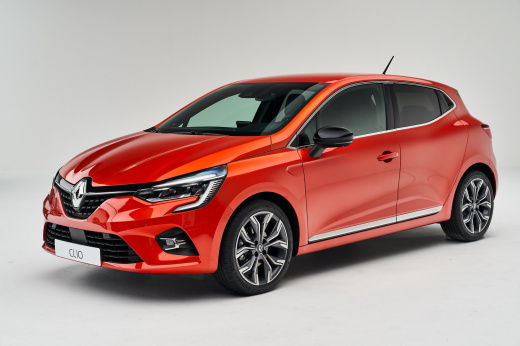
How to reset the AdBlue refill warning light on the Renault Clio 1.5 dCi.
Model: Renault Clio
Clio V, Clio 5
- Years:
2019, 2020, 2021, 2022, 2023, 2024, 2025, 2026
Video tutorial
Let's discover the instructions that will allow us to reset the AdBlue refill warning for the Renault Clio 1.5 dCi. First of all, it is necessary to refill the AdBlue using the appropriate container or directly at the pump, opening the fuel flap and unscrewing the cap of the AdBlue tank. Once the refill is done, we will connect our diagnostic tool to the vehicle's OBD port, selecting the make and model. At this point, we go to the AdBlue section and confirm the reset of the refill warning that appears on the instrument panel!
Posted on 1 December 2025 by ScegliAuto
Related tutorials
Renault Clio
(2019-2026 /
Clio V, Clio 5)
The ignition of the Adblue warning light causes a blockage, if the refill is not done shortly, of the car, in this case the Renault Clio 5. The tank …

Renault Clio
(2019-2026 /
Clio V, Clio 5)
To reset the AdBlue warning light on a Renault Clio, first perform a refill by adding the necessary amount of additive liquid into the corresponding …

Renault Clio
(2019-2026 /
Clio V, Clio 5)
To reset the AdBlue warning light on the Volkswagen Clio, you need to refill the additional liquid by adding the necessary amount into the correspond…
Other guides you may be interested in |
Where are the fuses located on the Renault Laguna?
On the Renault Laguna, the fuses are located inside the fuse boxes installed in the vehicle: in this car model, you will find two boxes for containing the fuses. The first is in the fuse box on the left side of the dashboard, accessible by opening the driver's door: here you will find the fuses for the windscreen wipers, fog lights, horn, etc. The second box is located on the right side of the engine compartment: here you will find the fuses for the dipped headlights, radiator fan, alternator, etc. by ScegliAuto More videos
|
|
For advertising on this site Write to info@scegliauto.com
ScegliAuto is not responsible for any inaccuracy of the data in the lists. To report any inaccuracy or your business (if you own the business in question), please write to info@scegliauto.com
Number of seconds to generate the page: 0.052
(c) ScegliAuto 2026 - info@scegliauto.com - Privacy policy VAT number: IT01247470535 |
