
|
Do it yourself
| |||
| ||||


How to reset the service in the Renault Arkana?
Model: Renault Arkana
MK 1
- Years 2019-2026
In this tutorial, we can see how to reset the service in the Renault Arkana, an extremely simple and quick operation to be carried out only once all scheduled maintenance work has been completed. Let's start by going inside the cabin, then insert the key and turn on the instrument panel. Then scroll through the display screens using the directional arrows on the steering wheel, position ourselves on the "Service Intervals" option and hold down the up arrow to enter the section. To reset, simply hold down the same button again.
Posted on 12 March 2025 by ScegliAuto
Video tutorial
Related tutorials
Renault Arkana
(2019-2026 /
MK 1)
In the Renault Arkana, to reset the maintenance warning after an oil change, park the Renault Arkana and turn on the instrument panel without startin…

Renault Arkana
(2019-2026 /
MK 1)
.. In this tutorial, you will see how to reset the service in the Renault Arkana, an extremely simple and quick operation, to be performed.. …

Renault Arkana
(2019-2026 /
MK 1)
Today we will discover the procedure that will allow us to reset the maintenance service light for the regular oil change of the Renault Arkana. Firs…
Other guides you may be interested in
|
How to Remove the Mirror Cap on a Toyota Auris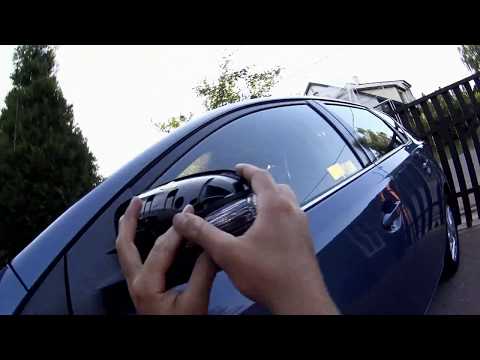
How to proceed with the removal of the mirror cap on a Toyota Auris? Use a plastic lever to detach the mirror cap and the mirror itself. Pry until the cover comes off the mirror (this operation is very delicate as it may break). Once the piece is removed, take out the side indicator (for replacement), and you can replace it with the new one. Refit the new mirror cover by inserting it into the mirror and securing the plastic with the appropriate clips. Check the correct functioning of the part. by ScegliAuto More videos
|
|
For advertising on this site Write to info@scegliauto.com
ScegliAuto is not responsible for any inaccuracy of the data in the lists. To report any inaccuracy or your business (if you own the business in question), please write to info@scegliauto.com
Number of seconds to generate the page: 0.106
(c) ScegliAuto 2026 - info@scegliauto.com - Privacy policy VAT number: IT01247470535 |
