
|
Do it yourself
| |||
| ||||


How to Remove the Brake Disc on Mitsubishi Pajero
Model: Mitsubishi Pajero
V60, MK 3
- Years:
1999, 2000, 2001, 2002, 2003, 2004, 2005, 2006
Video tutorial
How to remove the brake disc along with the brake pads on a Mitsubishi Pajero? First, lift the vehicle on a column lift to a suitable height for working. Next, remove the wheel (using a telescopic spanner or air drill) with the respective bolts. Undo the locking bolt of the brake caliper, and remove it from the caliper support. Remove the caliper support from the wheel hub using a socket spanner. Once the brake disc is free, undo the screws with a fixed spanner and detach the disc from the wheel hub. Disconnect the various wiring and brake fluid pipes from the wheel assembly. Replace them with new parts (always use original and compliant parts). Prepare to install the new disc along with the respective pads, brake caliper, caliper support, etc.
Updated on 2 March 2026 by ScegliAuto
Related tutorials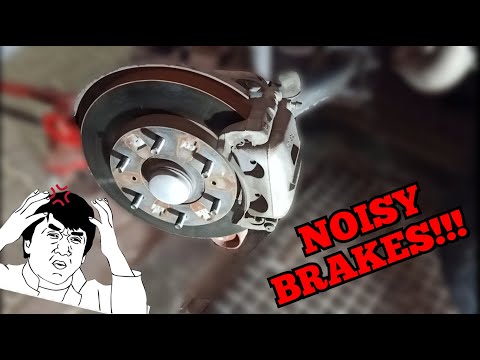
Mitsubishi Pajero
(2006-2021 /
V80, MK 4)
This guide shows you the steps to remove and replace the front brake pads on the Mitsubishi Pajero. First, lift the vehicle and start removing the fr…

Mitsubishi Pajero
(1999-2006 /
V60, MK 3)
Before you can begin, sit in the driver's seat of your Mitsubishi Pajero. Using a Torx T30 screwdriver, start by unscrewing and removing the screws t…

Mitsubishi Pajero
(1999-2006 /
V60, MK 3)
In this video tutorial, follow the main instructions to remove and replace the external handle of the tailgate on a Mitsubishi Pajero. First, open th…
ScegliAuto offers an extensive international collection of automotive tutorials available in 12 languages. Each guide combines instructional videos with original explanations written by experienced human editors, along with information about the car models covered.
Other guides you may be interested in
|
How to Reset the Tire Pressure Light on the Land Rover Range Rover Evoque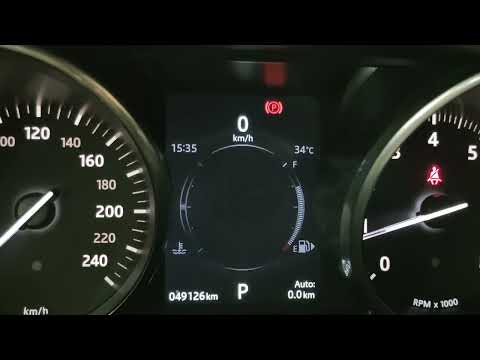
Today, let's go through the steps to reset the tire pressure light on the Land Rover Range Rover Evoque. First, get in the vehicle and turn on the ignition; then navigate to the settings on the onboard computer and select the tire pressure option to view the values, as shown in the video. At this point, restore the correct pressure in all four tires to clear the tire pressure warning light that appears on the instrument cluster! by ScegliAuto More videos
|
|
For advertising on this site Write to info@scegliauto.com
ScegliAuto is not responsible for any inaccuracy of the data in the lists. To report any inaccuracy or your business (if you own the business in question), please write to info@scegliauto.com
Number of seconds to generate the page: 0.039
(c) ScegliAuto 2026 - info@scegliauto.com - Privacy policy - About us VAT number: IT01247470535 |
