
|
Do it yourself
| |||
| ||||


How to restore the service light indicator of the Megane 4
Model: Renault Megane
Megane IV, Megane 4
- Years 2015-2023
In the following article, we will show you how to reset the maintenance light on the Renault Megane 4th series, a procedure that is useful after having the car serviced. To reset the light, first start the instrument panel, then use the lever located on the right side of the steering wheel to navigate to the maintenance autonomy menu, press and hold the ok button to confirm, now the oil change autonomy will appear, press and hold the ok button for about 15 seconds to reset it. Once the oil change autonomy is reset, use the lever to navigate the menu and find the maintenance autonomy, once found, press and hold the ok button again for about 15 seconds to reset the maintenance autonomy. Once reset, restart the instrument panel to verify that the procedure has been completed correctly.
Posted on 28 March 2025 by ScegliAuto
Video tutorial
Related tutorials
Renault Megane
(2008-2015 /
Megane 3, Megane III)
If the service light appears on the small display of the instrument panel of your third-generation Renault Megane even after performing the car's ser…

Renault Megane
(2015-2023 /
Megane IV, Megane 4)
The reset of the service light on the 2017 Renault Megane must be performed after servicing operations. To reset the service light, we will need to: …

Renault Megane
(2008-2015 /
Megane 3, Megane III)
When the service light continues to appear on the display of the instrument panel of your Renault Megane mk3 (year 2014) even after having performed …
Other guides you may be interested in
|
Frequently Asked QuestionsResetting the Tyre Pressure Light on a Fiat 500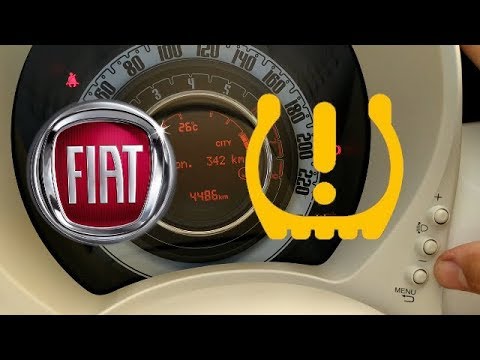
In this brief and simple video tutorial, you will learn how to reset the tyre pressure warning light on a Fiat 500. First, get into your vehicle and navigate to the menu by pressing the appropriate button: go to the tyre pressure option and click again. Then click 'yes' again, and it will automatically perform the procedure to reset the tyre pressure warning light! Remember, before carrying out this operation, check for any faults with the tyres: resolve the issue and then reset the light! by ScegliAuto More videos
|
|
For advertising on this site Write to info@scegliauto.com
ScegliAuto is not responsible for any inaccuracy of the data in the lists. To report any inaccuracy or your business (if you own the business in question), please write to info@scegliauto.com
Number of seconds to generate the page: 0.060
(c) ScegliAuto 2026 - info@scegliauto.com - Privacy policy VAT number: IT01247470535 |
