
|
Do it yourself
| |||
| ||||


How to set the clock in the Renault Scenic 3
Model: Renault Scenic
MK III, Scenic III, Scenic 3, MK 3
- Years 2009-2015
To adjust the clock of the onboard computer and the instrument panel on a Renault Scenic mk3 model, produced from 2009 to 2015, we need to press the Menu/SET button to display the options of the general menu on the screen. Using the central knob, we select the "Edit preferences" option and then select the "Set time" option. We set the time format and then adjust the hours and minutes according to our needs. Once the choice is confirmed, we return to the main menu and can decide whether to restart the instrument panel or go directly on the road.
Posted on 10 November 2025 by ScegliAuto
Video tutorial
Related tutorials
Renault Scenic
(2009-2015 /
MK III, Scenic III, Scenic 3, MK 3)
To set the clock of the Renault Scenic 3 we need to: -turn on the car's on-board computer; -press the Menu button located on the lower dashboard; -us…

Renault Scenic
(2009-2015 /
MK III, Scenic III, Scenic 3, MK 3)
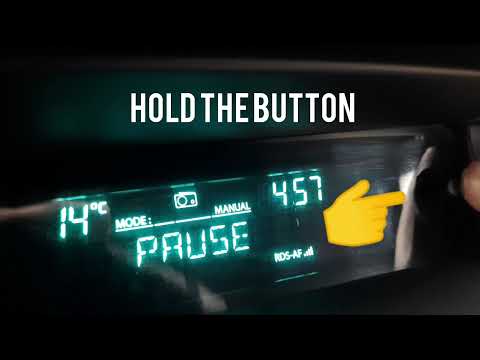
In order to adjust the clock displayed on the instrument panel of the Renault Scenic, it will be necessary to press and hold the button located to th…
Renault Scenic
(2003-2009 /
Scenic 2, MK 2)
To be able to set the clock on the Renault Scenic, you need to turn on the instrument panel and hold down the button located next to the information …
Other guides you may be interested in
|
How to Change the H7 Headlight Bulb on an Audi A3
When replacing the front headlight bulbs, choosing the right bulbs is certainly the first hurdle to overcome: halogen, blue white light, xenon, or LED. Once you have made your choice, installing the new bulb can be done without removing the headlight. Simply open the front bonnet, locate the protective cap of the bulb holder, and press on the corresponding latch to remove it. Then grasp the bulb's power connector and pull it out along with the bulb itself, disconnect the connector, fit the new bulb, and press it into its seat until it clicks into place. by ScegliAuto More videos
|
|
For advertising on this site Write to info@scegliauto.com
ScegliAuto is not responsible for any inaccuracy of the data in the lists. To report any inaccuracy or your business (if you own the business in question), please write to info@scegliauto.com
Number of seconds to generate the page: 0.096
(c) ScegliAuto 2026 - info@scegliauto.com - Privacy policy VAT number: IT01247470535 |
