
|
Do it yourself
| |||
| ||||


Android Auto and Apple CarPlay: how to connect them from the central display on the Renault Captur.
Model: Renault Captur
MK 2
- Years 2019-2026
On your Renault Captur, the connection for Android Auto or Apple CarPlay starts from the central display. With the vehicle stationary, connect your smartphone to the USB port indicated in the images (if the video shows a wired connection). On your phone, confirm the authorization requests (access to data/allow while using the app), and select Android Auto or CarPlay on the car's screen when prompted. If required, activate the smartphone projection option from the system menu and accept the displayed contract/license. Once completed, the Android Auto/CarPlay interface will open from the main screen, allowing you to test navigation, music, and calls. For subsequent connections, simply reconnect the cable or reopen the Smartphone option from the menu.
Posted on 14 December 2025 by ScegliAuto
Video tutorial
Related tutorials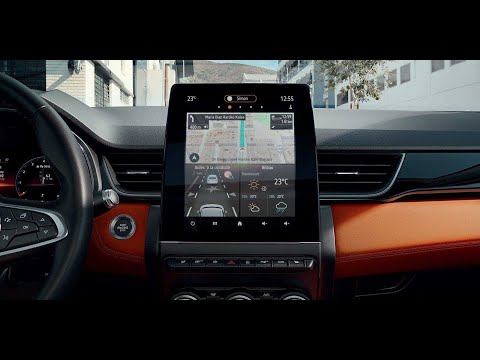
Renault Captur
(2019-2026 /
MK 2)
To remove the centre display of the Renault Captur, detach the leather cover surrounding the gear lever: once this is removed, unscrew the underlying…
Renault Captur
(2019-2026 /
MK 2)
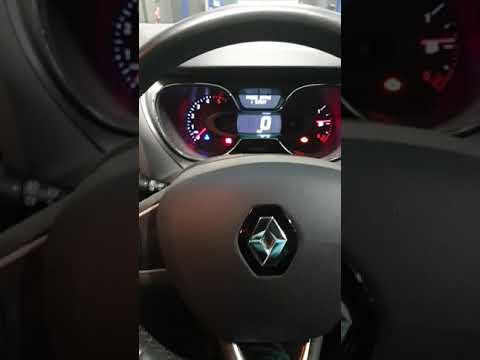
In this video, you will learn how to reset the maintenance service on the Renault Captur. This is a very simple operation that will take no more than…

Renault Captur
(2019-2026 /
MK 2)
In this mini guide dedicated to your Renault Captur second generation (2019-2023), discover how to correctly reset the tyre warning light (also known…
Other guides you may be interested in
|
Frequently Asked QuestionsHow to Open the Bonnet on the Lancia Y
To open the bonnet on this vehicle, follow these simple instructions: first, open the driver's door and locate the lever positioned just below the dashboard, marked with an image of the vehicle with the bonnet open. Pull this lever towards you until you hear a "click" indicating the bonnet is released. Next, exit the cabin and stand in front of the bonnet to disengage the safety catch and complete the opening. To do this, slightly lift the bonnet, locate the yellow lever underneath, and pull it to the left to fully release and open the bonnet. by ScegliAuto More videos
|
|
For advertising on this site Write to info@scegliauto.com
ScegliAuto is not responsible for any inaccuracy of the data in the lists. To report any inaccuracy or your business (if you own the business in question), please write to info@scegliauto.com
Number of seconds to generate the page: 0.585
(c) ScegliAuto 2026 - info@scegliauto.com - Privacy policy VAT number: IT01247470535 |
