
|
Do it yourself
| |||
| ||||


How do you reset the Service light on a Renault Captur?
Model: Renault Captur
MK 1
- Years 2013-2019
On the instrument panel of the Renault Captur, it is possible to completely turn off the Service light by turning on the ignition once the key has been inserted into the corresponding ignition switch. Once the ignition is activated, you can repeatedly press the upper button located at the end of the lever on the right side of the steering wheel. When the maintenance message appears, you need to press and hold the button at the bottom of the end of the lever. You can then wait a few seconds until the light disappears.
Posted on 22 December 2025 by ScegliAuto
Video tutorial
Related tutorials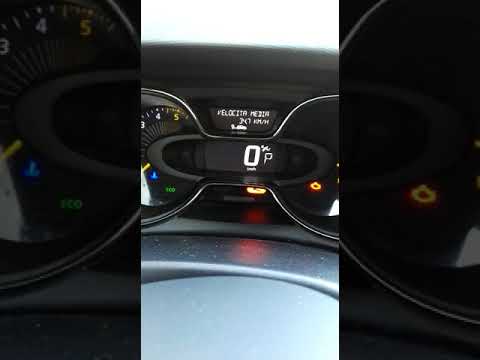
Renault Captur
(2013-2019 /
MK 1)
In this video, learn how to reset the maintenance light on a Renault Captur. Insert the key fob into the ignition slot. With the instrument cluster p…

Renault Captur
(2013-2019 /
MK 1)
You can clear the Service light from the instrument cluster of the Renault Captur by turning on the ignition after inserting the key into the ignitio…
Renault Captur
(2013-2019 /
MK 1)
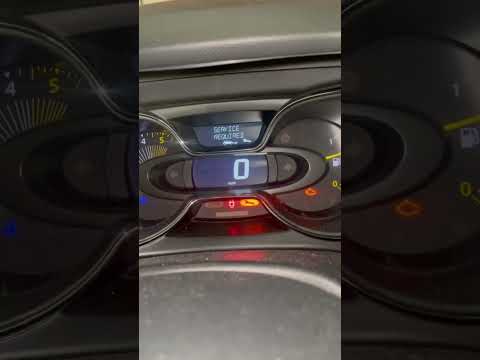
To reset the Service light on the Renault Captur, you need to turn on the instrument panel and then press the button located at the bottom of the rig…
Other guides you may be interested in
|
Frequently Asked QuestionsHow to Remove the Steering Wheel Airbag on a Dodge Journey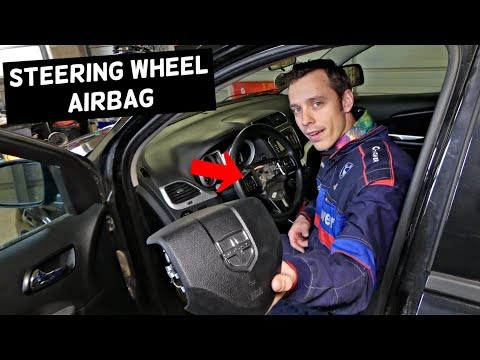
How to remove the steering wheel airbag on a Dodge Journey? Follow these steps. Before removing the steering wheel, disconnect the battery terminals located in the engine bay. Remove the inspection caps from the back of the steering wheel, then unscrew the airbag retaining bolts with a socket wrench. Once the driver’s airbag is released, disconnect the power connectors and remove the airbag from the steering wheel. For reinstallation: connect the power connectors, then press the airbag back onto the steering wheel while simultaneously tightening the rear bolts. by ScegliAuto More videos
|

|
For advertising on this site Write to info@scegliauto.com
ScegliAuto is not responsible for any inaccuracy of the data in the lists. To report any inaccuracy or your business (if you own the business in question), please write to info@scegliauto.com
Number of seconds to generate the page: 0.132
(c) ScegliAuto 2026 - info@scegliauto.com - Privacy policy VAT number: IT01247470535 |
