
|
Do it yourself
| |||
| ||||


How to Replace the Wishbone on a Renault Trafic
Model: Renault Trafic
MK 2
- Years:
2001, 2002, 2003, 2004, 2005, 2006, 2007, 2008, 2009, 2010, 2011, 2012
Video tutorial
Secure the Renault Trafic on axle stands, loosen the bolts, and remove the wheel on the affected side. Support the hub with a service jack to avoid stressing the joints. Loosen and remove the tightening bolt of the ball joint at the hub; separate the joint using a lever or puller, avoiding direct blows to the thread. Move on to the wishbone fixings to the chassis: unscrew the bolts of the silent blocks (front and rear) and slide the wishbone downwards. Compare the replacement part with the removed piece, position the new wishbone in the chassis by inserting the silent block pins first, and hand-tighten the bolts. Insert the joint into the hub and tighten the locking bracket; then progressively tighten the silent block bolts with the vehicle at wheel height (wishbone in working position) to avoid pre-stressing the rubber supports. Refit the wheel, lower the vehicle, and complete the tightening. Finally, pump the brake pedal if you have handled the hub and check for any play.
Posted on 20 June 2026 by ScegliAuto
Related tutorials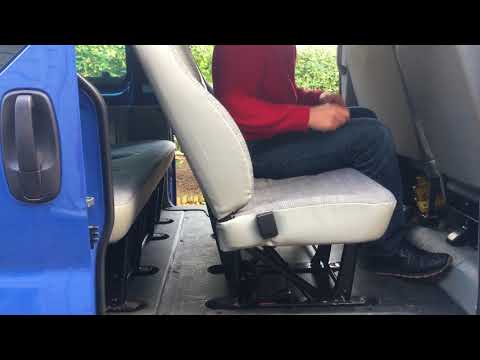
Renault Trafic
(2001-2014 /
MK 2)
Before you begin, open the side door of your Renault Trafic. Start by unfastening the lower side hooks that secure the rear seats to the floor. Then,…

Renault Trafic
(2014-2026 /
MK 3)
To change the battery of your Renault Trafic third series key yourself, follow the procedure described in this guide. First, ensure you have a flat-h…

Renault Trafic
(2014-2026 /
MK 3)
The instructions in this guide will allow you to reset the ordinary maintenance service light on a Renault Trafic. First, get in the vehicle and turn…
Other guides you may be interested in
|
How to Activate the Disabled TRC on the Toyota Yaris?
As the video clearly shows, disabling or activating the traction control (TRC or ESP) on the Toyota Yaris is very simple. By default, the traction system activates every time the vehicle is started. To disable it, simply press the button depicting a skidding car located in the centre of the vehicle where the controls are, such as the hazard lights and the radio, but near the handbrake. Once disabled, the TRC off light will illuminate on the dashboard. To reactivate it, just press the same button again. by ScegliAuto More videos
|
|
For advertising on this site Write to info@scegliauto.com
ScegliAuto is not responsible for any inaccuracy of the data in the lists. To report any inaccuracy or your business (if you own the business in question), please write to info@scegliauto.com
Number of seconds to generate the page: 0.025
(c) ScegliAuto 2026 - info@scegliauto.com - Privacy policy VAT number: IT01247470535 |
