
|
Do it yourself
| |||
| ||||


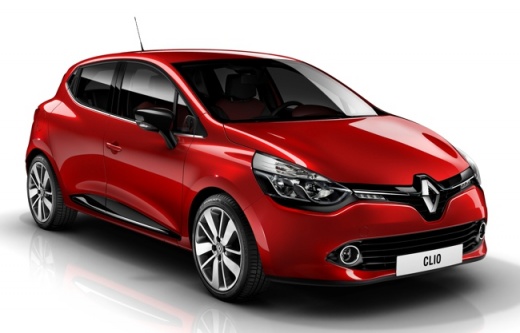
How to Reset the Tyre Pressure Light on the Renault Clio 4?
Model: Renault Clio
- Years:
2012, 2013, 2014, 2015, 2016, 2017, 2018, 2019
Video tutorial
The tyre pressure light on the Renault Clio 4 operates similarly to other cars; it lights up when the tyre inflation pressure is below the manufacturer's specified value. In short, a flat tyre is enough to trigger the alarm. First, ensure the tyres are inflated, then do the following: turn on the instrument cluster, use the directional buttons on the end of the right stalk to find the Tyre Pressure option in the Settings, hold down the Up Arrow button on the stalk, and initiate the Reset. When the light is off, you have completed the operation.
Posted on 31 October 2026 by ScegliAuto
Related tutorials
Renault Clio
(2005-2013 /
Clio III, MK 3, Clio 3)
To reset the tyre pressure warning light on a Renault Clio, first access the onboard computer menu. Before doing this, ensure the tyre pressures are …

Renault Clio
(2019-2026 /
Clio 5, Clio V)
The activation of the tyre pressure warning light indicates an anomaly in the pressure of one or more tyres; before resetting the light on the Renaul…

Renault Clio
(2012-2019 /
Clio 4, MK 4, Clio IV)
The author of this video explains how to reset the tyre pressure light on a Renault Clio 4 and demonstrates the operation in person. First, turn on t…
Other guides you may be interested in
|
Where is the Battery Located on the Toyota Hybrid Yaris?
Unlike many Toyota models, the Hybrid Yaris places the battery inside the vehicle. The battery of the Toyota Hybrid Yaris is located within the cabin, specifically under the right rear seat. If you need to access the battery, you must remove the rear seat, the screws securing the cover, and the hard plastic cover. Once these obstacles are removed, you can access the battery compartment and perform the necessary maintenance. Remember, if you need to disconnect the battery, always remove the positive terminal first, followed by the negative. by ScegliAuto More videos
|
|
For advertising on this site Write to info@scegliauto.com
ScegliAuto is not responsible for any inaccuracy of the data in the lists. To report any inaccuracy or your business (if you own the business in question), please write to info@scegliauto.com
Number of seconds to generate the page: 0.044
(c) ScegliAuto 2026 - info@scegliauto.com - Privacy policy VAT number: IT01247470535 |
