
|
Do it yourself
| |||
| ||||


Removing Headlight Lights on Renault Clio
Model: Renault Clio
Clio 3, MK 3, Clio III
- Years:
2005, 2006, 2007, 2008, 2009, 2010, 2011, 2012, 2013
Video tutorial
To replace blown bulbs in the Clio headlight, let's look at removing the front headlight. Open the front bonnet by pulling the lever located at the bottom right of the dashboard and secure it with the prop. Locate the inspection cap of the front headlight and remove it. Disconnect the bulb holders from the headlight and extract the damaged bulbs using a screwdriver. Install the new bulbs (ensure they are the correct type and size) and insert the bulb holder back into the headlight housing. Refit the plastic headlight covers. Test the lights on the Renault Clio with the operation levers.
Updated on 16 March 2026 by ScegliAuto
Related tutorials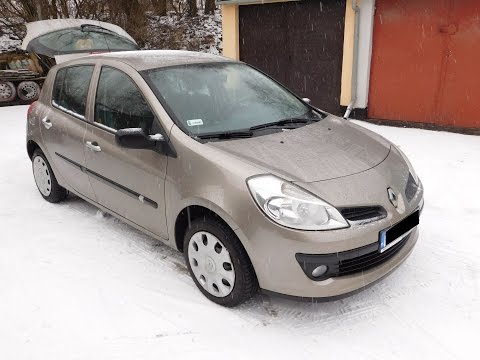
Renault Clio
(2005-2013 /
Clio 3, MK 3, Clio III)
Removing the front bulbs from the Renault Clio. Lift the front bonnet of the car and secure it. Locate the caps that need replacing. Remove the cover…

Renault Clio
(2019-2026 /
Clio V, Clio 5)
It will be possible to adjust the headlights of the Renault Clio by first inserting the ignition key into the lock in order to activate the instrumen…

Renault Clio
(2005-2013 /
Clio 3, MK 3, Clio III)
Adjusting the headlight beam of a car, not only for the Renault Clio 3, which is the vehicle shown in the video, but for most cars on the market, is …
Other guides you may be interested in
|
How to Activate the Automatic Folding and Unfolding of the Wing Mirrors on the Jeep Compass
Follow these brief instructions to activate the automatic folding and unfolding of the external wing mirrors on the Jeep Compass. First, get inside the vehicle and turn on the ignition; then press the button located beneath the mirror glass adjustment to electrically open the mirror, as shown in the video. Pressing the button in the opposite direction will close the mirrors; by holding the button, the mirrors will open and close automatically! by ScegliAuto More videos
|
|
For advertising on this site Write to info@scegliauto.com
ScegliAuto is not responsible for any inaccuracy of the data in the lists. To report any inaccuracy or your business (if you own the business in question), please write to info@scegliauto.com
Number of seconds to generate the page: 0.039
(c) ScegliAuto 2026 - info@scegliauto.com - Privacy policy VAT number: IT01247470535 |
