
|
Do it yourself
| |||
| ||||


How to Remove the Plastic Cover of the Central Display on the Renault Clio 3
Model: Renault Clio
MK 3, Clio 3, Clio III
- Years 2005-2013
In this video, learn how to remove the plastic cover of the central display located at the top of the Renault Clio third series. First, get inside the vehicle and start by prying the sides of the cover using something thin and pointed. Once detached from the clips, you can remove the entire display and cover by disconnecting the electrical connector found at the back. At this point, you can replace one of the two parts if necessary; then reassemble everything by applying the reverse procedure for reassembly!
Updated on 3 June 2026 by ScegliAuto
Video tutorial
Related tutorials
Renault Clio
(2012-2019 /
Clio IV, MK 4, Clio 4)
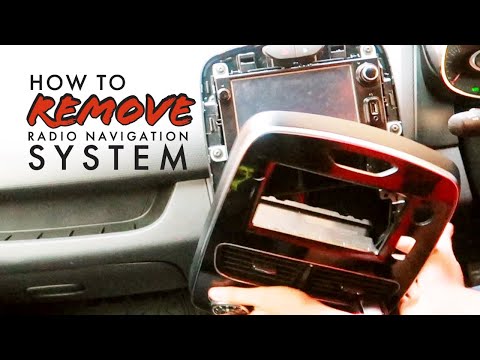
The disassembly and replacement of the Renault Clio's radio with display involves a few simple steps; the operation is the same on the Renault Captur…
Renault Clio
(2012-2019 /
Clio IV, MK 4, Clio 4)
The MediaNav digital system in the Renault Clio Mk4 allows you to utilise several important features. In case of malfunctions or device breakage, you…

Renault Clio
(2012-2019 /
Clio IV, MK 4, Clio 4)
The following video tutorial shows us the steps to follow to disassemble the car radio of the Renault Clio model mk4. Before disassembling the radio,…
Other guides you may be interested in |
How to replace the horn on a Renault Duster - Dacia Duster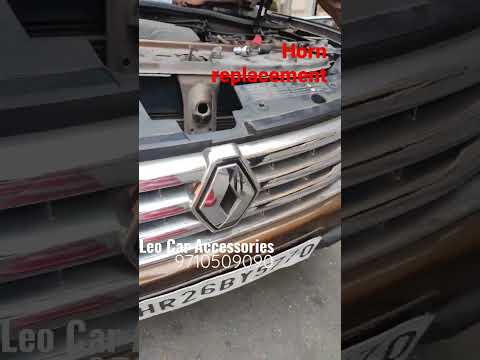
Today's main instructions will show you the procedure for removing and replacing the horn or sound signal on the Renault Duster, as well as the Dacia Duster. First, open the bonnet of the vehicle and start removing the front bumper by unscrewing all the fixing screws; you will find the horn right in front of the radiator, as shown in the video. At this point, disconnect the electrical connector and unscrew the bracket screw to remove and replace the horn with the new one; finally, reassemble the front bumper! by ScegliAuto More videos
|

|
For advertising on this site Write to info@scegliauto.com
ScegliAuto is not responsible for any inaccuracy of the data in the lists. To report any inaccuracy or your business (if you own the business in question), please write to info@scegliauto.com
Number of seconds to generate the page: 0.060
(c) ScegliAuto 2026 - info@scegliauto.com - Privacy policy VAT number: IT01247470535 |
