
|
Do it yourself
| |||
| ||||


How to reset the Renault Clio TPMS sensor
Model: Renault Clio
MK 4, Clio 4, Clio IV
- Years 2012-2019
The TPMS sensor performs the important function of automatically detecting the car's tire pressure. In this way it is possible to intervene in a timely manner without running the risk of ending up with one or more completely flat tires along the way. Sometimes, for various reasons, it may need to be reset as it may have errors highlighted by the appearance of a special warning light on the on-board computer display. Press the power button and navigate within the computer menu using the arrows on the right of the steering wheel. Find the tire pressure entry and press and hold the up arrow button for a few seconds. At this point the sensor will carry out a new and correct reading of the pressures and the alarm light will disappear.
Posted on 20 July 2022 by ScegliAuto
Video tutorial
Related tutorials
Renault Clio
(2012-2019 /
MK 4, Clio 4, Clio IV)
The instructions illustrated in this guide will show us how to reset the tire pressure warning light (TPMS) of the Renault Clio; before performing th…

Renault Clio
(2012-2019 /
MK 4, Clio 4, Clio IV)
Today we will explain how to reset the TPMS light on the Renault Clio 4. To reset the light, we need to turn on the instrument panel and press the BC…

Renault Clio
(2012-2019 /
MK 4, Clio 4, Clio IV)
Today we will see how to reset the tire pressure monitoring system (TPMS) light on a Renault Clio. To perform the reset operations, we need to turn o…
Other guides you may be interested in
|
Frequently Asked QuestionsHow to Reset the Service Light on a Fiat 500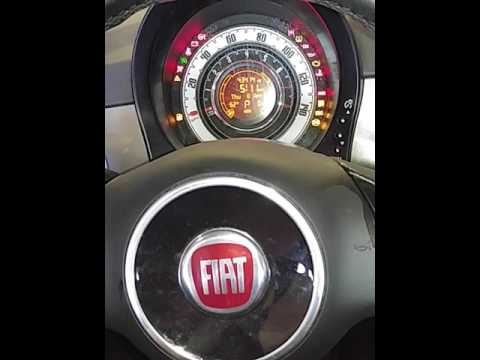
In this video, learn how to reset the oil maintenance service indicator on a Fiat 500. This is a very simple operation. Enter the vehicle and turn on the ignition. Press the accelerator pedal three times in quick succession, then release the pedal. Turn off the ignition and remove the key from the ignition lock. Reinsert the key and turn on the ignition, then wait for the indicator to illuminate. Finally, check the changes made to the car. Always remember to perform onboard computer modifications with the engine off. by ScegliAuto More videos
|

|
For advertising on this site Write to info@scegliauto.com
ScegliAuto is not responsible for any inaccuracy of the data in the lists. To report any inaccuracy or your business (if you own the business in question), please write to info@scegliauto.com
Number of seconds to generate the page: 0.060
(c) ScegliAuto 2026 - info@scegliauto.com - Privacy policy VAT number: IT01247470535 |
