
|
Do it yourself
| |||
| ||||


Replacing the Handbrake in a Car
Model: Renault Clio
MK 2, Clio 2
- Years:
1998, 1999, 2000, 2001, 2002, 2003, 2004, 2005
This video is currently unavailable
Often, when it comes to the handbrake, people turn to an experienced mechanic for help. However, it is possible to do this without necessarily going to an authorised workshop, saving quite a bit of money. First, remove the broken cable, and following the repair manual, take out the broken part. The installation procedure for the new part should be done in reverse order to that used for removing the old cable. Be very careful and ensure that everything fits perfectly in its designated place. Once the new handbrake is installed, it is advisable to carry out some test runs with the car.
Updated on 14 February 2026 by ScegliAuto
Related tutorials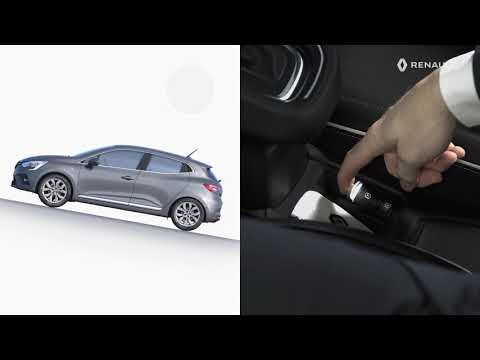
Renault Clio
(2019-2026 /
Clio V, Clio 5)
The electronic handbrake or assisted parking brake is a function that electronically manages the handbrake, meaning there is no longer a classic leve…

Renault Clio
(2012-2019 /
Clio IV, Clio 4, MK 4)
To adjust the handbrake of the Renault Clio, loosen the screws securing the covering panel of the central tunnel: once these screws are loosened, you…

Renault Clio
(1998-2005 /
MK 2, Clio 2)
Place the gear lever in first gear, release the handbrake, and lift the rear wheel; then check that with the handbrake released, the wheel spins free…
Other guides you may be interested in |
How to Set the Time in an Audi A4?
In this tutorial, you will see how to set the time in an Audi A4, a very simple and quick operation to perform after replacing the battery or when the time changes. First, insert the key and turn on the instrument cluster. Then, press the "SETUP" button located on the center console. Next, press the upper left arrow button, navigate to the "Time" option, and use the central knob to adjust the clock. Finally, set any necessary formats and save by returning to the main screen. by ScegliAuto More videos
|
|
For advertising on this site Write to info@scegliauto.com
ScegliAuto is not responsible for any inaccuracy of the data in the lists. To report any inaccuracy or your business (if you own the business in question), please write to info@scegliauto.com
Number of seconds to generate the page: 0.044
(c) ScegliAuto 2026 - info@scegliauto.com - Privacy policy VAT number: IT01247470535 |
