
|
Do it yourself
| |||
| ||||


How to Change the Battery in a Renault Clio
Model: Renault Clio
Clio 3, MK 3, Clio III
- Years:
2005, 2006, 2007, 2008, 2009, 2010, 2011, 2012, 2013
Video tutorial
To change the battery in the Renault Clio III, open the bonnet of the vehicle, remove the battery cover, and disconnect the negative terminal (the black one). Then remove the metal plate connecting the negative terminal to the battery. Disconnect the positive terminal (the red one). Again, remove the metal plate and finally take out the screws holding the battery in place using a screwdriver with an extension. Now you can take the battery handle and remove it, replacing it with the new one. A branded battery for the Renault Clio, purchased on Amazon, costs £46.30, including delivery.
Updated on 19 June 2026 by ScegliAuto
Related tutorials
Renault Clio
(2019-2026 /
Clio V, Clio 5)
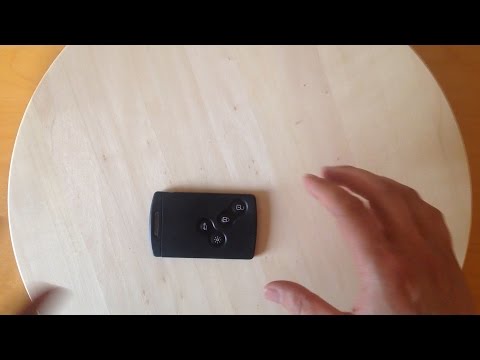
To change the battery inside your Renault Clio fifth series key by yourself, follow the procedure described in this new guide. First, take the key an…
Renault Clio
(2012-2019 /
Clio IV, Clio 4, MK 4)
To open the key fob of a Renault Clio and remove or change the battery, first remove the key blade by pressing the button on the side of the fob and …

Renault Clio
(2012-2019 /
Clio IV, Clio 4, MK 4)
To change the battery inside the key of your Renault Clio Mk4, you only need a few minutes. First, ensure you have a new CR2032 battery and a flat-he…
Other guides you may be interested in
|
How to Set the Time in an Audi A4?
In this tutorial, you will see how to set the time in an Audi A4, a very simple and quick operation to perform after replacing the battery or when the time changes. First, insert the key and turn on the instrument cluster. Then, press the "SETUP" button located on the center console. Next, press the upper left arrow button, navigate to the "Time" option, and use the central knob to adjust the clock. Finally, set any necessary formats and save by returning to the main screen. by ScegliAuto More videos
|
|
For advertising on this site Write to info@scegliauto.com
ScegliAuto is not responsible for any inaccuracy of the data in the lists. To report any inaccuracy or your business (if you own the business in question), please write to info@scegliauto.com
Number of seconds to generate the page: 0.050
(c) ScegliAuto 2026 - info@scegliauto.com - Privacy policy VAT number: IT01247470535 |
