
|
Do it yourself
| |||
| ||||


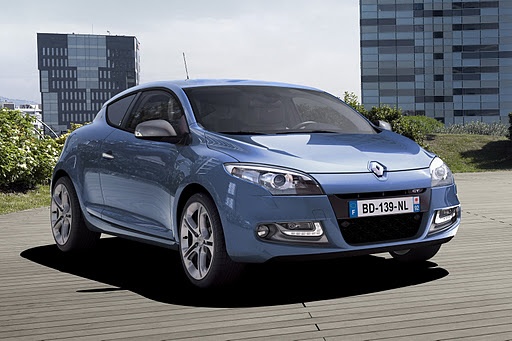
How to reset the pollution warning light on the Renault Megane?
Model: Renault Megane
Megane III, Megane 3
- Years:
2008, 2009, 2010, 2011, 2012, 2013, 2014, 2015
Video tutorial
To reset the pollution system warning light on the Renault Megane, there is no standard procedure, as the light may illuminate due to various factors, such as dirty fuel, faults with the lambda sensors, etc. To try to resolve the issue, it may be helpful to add a cleaning fluid for the particulate filter into the tank: by opening the corresponding flap, you can unscrew the cap and add a small amount of fluid. If the warning light remains on after this operation, it is advisable to consult a garage.
Updated on 14 July 2026 by ScegliAuto
Related tutorials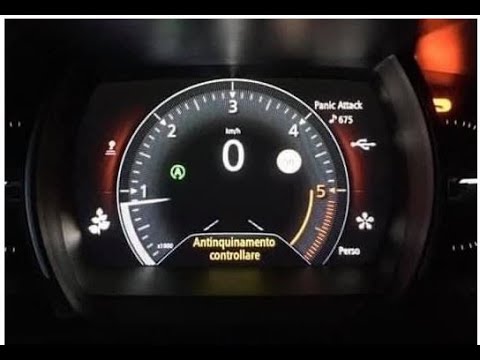
Renault Megane
(2015-2023 /
Megane IV, Megane 4)
Before you can start, sit in the driver's seat of your Renault Megane 1.6 diesel. Connect your laptop to the car and launch the specific software. Ne…

Renault Megane
(2015-2023 /
Megane IV, Megane 4)
These brief and simple steps will allow you to reset the tyre pressure warning light (TPMS) on the Renault Megane; before performing the reset, ensur…

Renault Megane
(2015-2023 /
Megane IV, Megane 4)
To reset the tyre pressure warning light on a Renault Megane, inflate the tyres to the recommended pressure value, which is indicated on the sticker …
Other guides you may be interested in |
Frequently Asked QuestionsHow to Reset the Tyre Pressure Warning Light on the Jeep Renegade?
To reset the tyre pressure warning light on the Jeep Renegade, inflate the tyres until they reach the recommended pressure: this value is indicated on the sticker attached to the driver’s door pillar. Once the tyres are properly inflated, navigate through the menu that appears on the instrument cluster until you find the tyre pressure option. At this point, press and hold the OK button on the right side of the steering wheel to make the warning light disappear. by ScegliAuto More videos
|
|
For advertising on this site Write to info@scegliauto.com
ScegliAuto is not responsible for any inaccuracy of the data in the lists. To report any inaccuracy or your business (if you own the business in question), please write to info@scegliauto.com
Number of seconds to generate the page: 0.015
(c) ScegliAuto 2026 - info@scegliauto.com - Privacy policy VAT number: IT01247470535 |
