
|
Do it yourself
| |||
| ||||


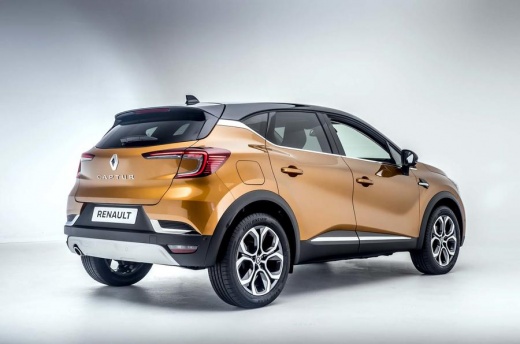
How to Reset the TPMS on a Renault Captur
Model: Renault Captur
MK 2
- Years 2019-2026
Video tutorial
Detailed instructions - When the low tyre pressure warning light comes on in this vehicle, first check the actual tyre pressures and restore them to the manufacturer's recommended levels if necessary. Below are the instructions and steps to reset the warning light on the dashboard. After accessing the cabin and turning on the ignition, scroll through the onboard computer functions by pressing the buttons at the end of the right lever. Select the "service required" option and press and hold the button until the warning light turns off.
Updated on 19 July 2026 by ScegliAuto
Related tutorials
Renault Captur
(2013-2019 /
MK 1)
Let's turn on the dashboard of the Renault Captur to reset the tire pressure warning light. Press the down arrow button to access the vehicle setting…

Renault Captur
(2019-2026 /
MK 2)
Today we will see how to reset the tire pressure sensors on a Renault Captur vehicle. Before performing the reset of the warning light, it is importa…

Renault Captur
(2019-2026 /
MK 2)
When the tire pressure warning light comes on a 2020 Renault Captur vehicle, it means that the tire pressure needs to be adjusted. After that, you ca…
Other guides you may be interested in
|
How to set the clock on the Vespa 125 Primavera?
To set the clock on the Vespa 125 Primavera, press and hold the black button located just below the black knob on the bike: keep the button pressed until the hour number starts to flash. Once it is flashing, you can change the hours with single presses of the same button; then, by pressing and holding the button again, the hour number will stop flashing and the minute number will start to flash, which can be modified in the same way, confirming the input by holding the button. by ScegliAuto More videos
|
|
For advertising on this site Write to info@scegliauto.com
ScegliAuto is not responsible for any inaccuracy of the data in the lists. To report any inaccuracy or your business (if you own the business in question), please write to info@scegliauto.com
Number of seconds to generate the page: 0.105
(c) ScegliAuto 2026 - info@scegliauto.com - Privacy policy VAT number: IT01247470535 |
